

Is your flood light sensor not working when it should, leaving dark spots around your home or burning all night long? You are not alone. Motion-sensor flood lights are essential for security and convenience, yet they often stop responding due to power glitches, dirt buildup, misalignment, or incorrect settings. The good news is that most issues are not permanent failures. They are fixable with simple troubleshooting steps you can do yourself. This guide walks you through every step, from diagnosing the problem to full repair, so you can get your flood light sensor working again quickly and safely.
Pinpoint the Sensor Failure Type
Before diving into fixes, identify exactly how your flood light sensor is failing. Different symptoms require different solutions.
Light Will Not Turn On
If the flood light does not activate when someone walks by, the sensor is missing valid motion. Common causes include:
– Low sensitivity setting that ignores slow or distant movement
– Blocked lens or photocell from dirt, spider webs, or grime
– Misaligned sensor aimed at the ground or wall instead of the walkway
– Burnt-out bulb, especially in older models with replaceable bulbs
– Dead power source from a tripped breaker or dead batteries
Pro Tip: Test at night with a helper. Walk through the detection zone while watching for delayed or missed responses.
Light Stays On Permanently
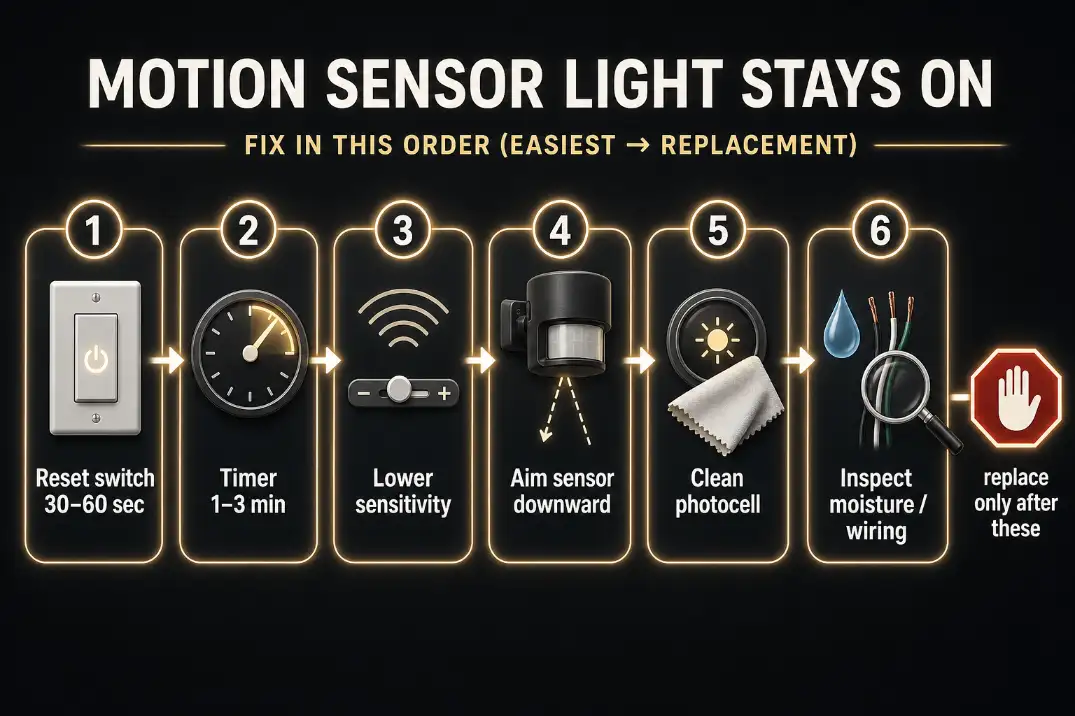
A stuck “on” state often means the sensor is latched due to a power surge or incorrect settings.
– Duration set too high, with some sensors running up to 30 minutes
– Overly sensitive mode that detects trees swaying, insects, or passing headlights
– Sensor facing heat sources like vents, chimneys, or sun-soaked driveways
– Internal logic error caused by electrical spikes or aging components
Warning: If the light never turns off, it may overheat or waste energy. Address this quickly.
Light Triggers Randomly
Erratic behavior suggests environmental interference or calibration drift.
– Cold weather sluggishness slows sensor response in freezing temperatures
– Small animals or bugs trigger overly sensitive PIR or ultrasonic sensors
– Residual memory errors appear after storms or power flickers
– Loose wiring creates intermittent connections that confuse the control board
Quick Check: Observe patterns. Does it trigger during wind or at dawn and dusk? These clues point to environmental causes.
Perform a Hard Reset on Your Flood Light Sensor
Most sensor issues stem from temporary electrical glitches. A proper reset clears corrupted memory and recalibrates the system.
Cut Power at the Breaker
This is the most effective way to reset internal electronics.
1. Locate the circuit breaker powering the flood light.
2. Flip it to OFF.
3. Wait 30 to 60 seconds for capacitors to drain fully.
4. Turn power back on.
5. Let the unit stabilize for 1 to 2 minutes with no motion nearby.
Why it works: Capacitors inside the unit drain completely, forcing a clean boot.
Use Wall Switch Reset Sequences
If the light is controlled by a wall switch, try these toggling methods.
Standard Toggle Reset
- Turn switch ON and hold for 2 to 3 seconds.
- Turn OFF and hold for 2 to 3 seconds.
- Turn ON again and check for normal operation.
Rapid Fire Reset for Stuck Units
- Flip the switch OFF and ON rapidly 4 to 5 times.
- Continue until the light stays on continuously.
- Turn switch OFF for 5 to 7 seconds.
- Flip back ON to restore factory calibration.
Success sign: Light blinks or resets detection cycle within 1 to 2 minutes.
Clean and Inspect the Sensor Lens
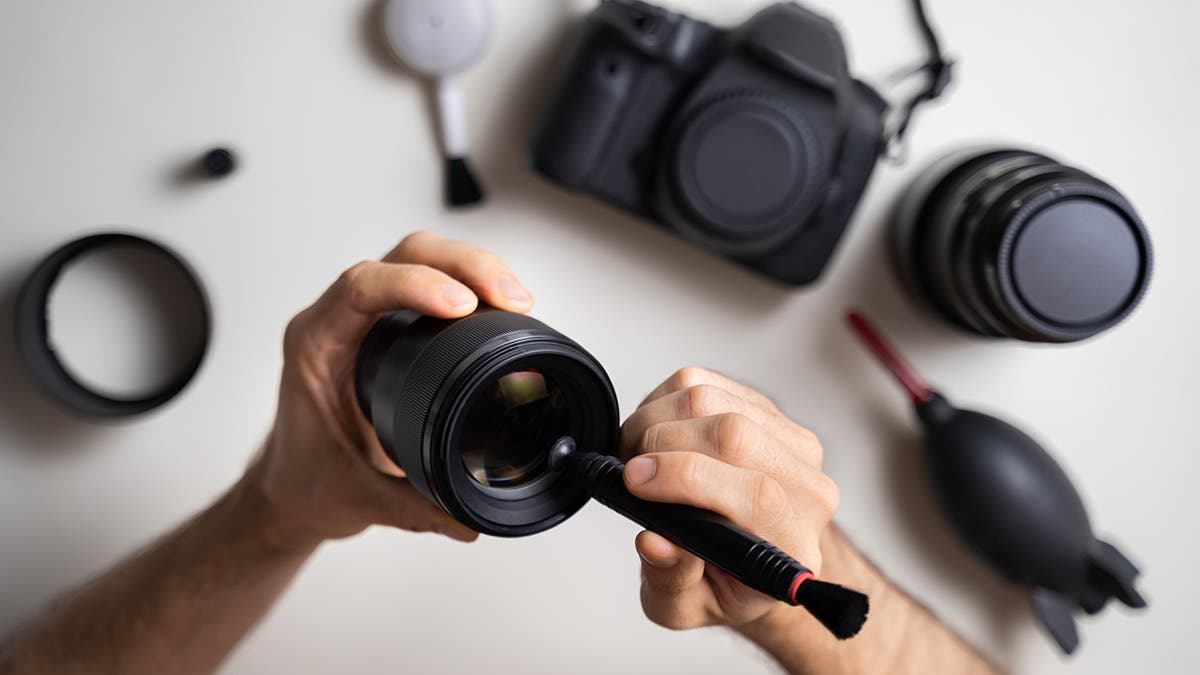
Dirt and debris are top causes of failure, especially in humid or dusty areas.
Wipe the Sensor Lens
A grimy lens blocks infrared signals and confuses photocells.
– Use a dry microfiber cloth for light dust.
– Dampen the cloth slightly for stubborn buildup. Never spray directly.
– Dry immediately to prevent water traps.
Watch for spider webs: They often form over the sensor dome and block detection.
Clean the Photocell
The photocell tells the light when it is dark enough to activate.
– Find the small lens, usually near the sensor.
– Gently clean with a dry or slightly moistened cloth.
– Ensure it is not shaded by fixtures or overhangs.
Important: Never cover the photocell. This can make the light stay on during daylight.
Use Compressed Air for Crevices
For hard-to-reach areas:
– Spray compressed air around the sensor housing.
– Hold the can upright to avoid moisture discharge.
– Focus on vents and mounting seams.
Adjust Sensor Aim and Position

Even a perfectly working sensor fails if it is pointed the wrong direction.
Fix False Negatives
If the light misses people:
– Reposition the sensor to cover walkways, driveways, or entry points.
– Avoid aiming at blank walls, trees, or the ground.
– Tilt downward slightly. 10 to 15 degrees is ideal for human detection.
Reduce False Triggers
If the light turns on too often:
– Avoid pointing toward roads, sidewalks, or pet areas.
– Shield from HVAC exhaust, chimneys, or reflective surfaces.
– Use mounting brackets to fine-tune the angle.
Environmental fix: Trim bushes or tree limbs near the detection zone.
Tune Sensitivity and Duration Settings

Most sensors have dials or switches for customization.
Set the Right Sensitivity
Located on the sensor head, often labeled “SENS” or “SENSITIVITY.”
– Too high? Light triggers on leaves, bugs, or distant cars.
– Too low? Ignores slow-moving people or pets.
– Sweet spot: Detects humans at 15 to 25 feet while ignoring small animals.
Adjust Duration (Time-Out)
Controls how long the light stays on after motion stops.
– Short (30 seconds to 1 minute): Pathways and garages
– Medium (2 to 5 minutes): Driveways and side doors
– Long (10 to 30 minutes): Security sweeps or large yards
Note: After a power cycle, duration often reverts to maximum. Reduce it manually.
Replace Faulty Components
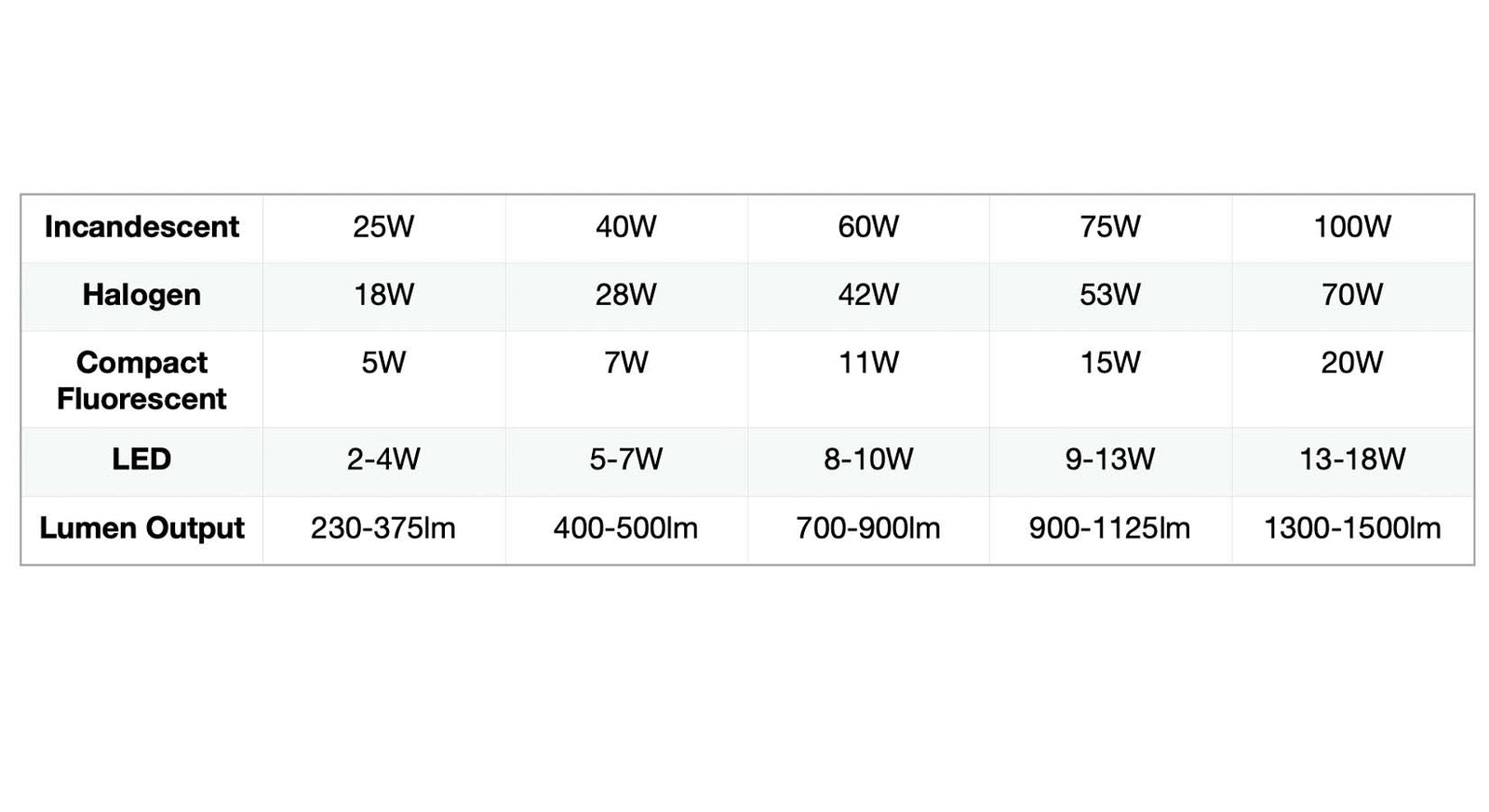
If resets and adjustments fail, replace key parts before calling a pro.
Swap the Bulb
Even with a working sensor, a dead bulb means no light.
– Turn off power at the breaker.
– Remove cover and extract the bulb.
– Install a compatible motion-rated LED or incandescent bulb.
– Avoid non-dimmable LEDs unless specified.
Note: Some modern units have integrated LEDs. If burnt out, replace the whole fixture.
Install New Batteries
For wireless or solar-powered models:
– Open the battery compartment.
– Replace all batteries at once. Do not mix old and new.
– Use lithium or alkaline batteries for stable voltage.
Pro tip: Solar units need direct sun. Clean the panel monthly for best charging.
Diagnose Wiring and Electrical Issues
Internal faults may require deeper inspection.
Check for Loose Connections
Always power off at the breaker first.
– Remove the fixture cover.
– Inspect wire nuts and terminals.
– Tighten any loose screws or frayed wires.
Color code check:
– Black to black (hot)
– White to white (neutral)
– Green or bare to ground
Look for Burnt Wires
Signs of electrical overload include:
– Melted insulation
– Discolored terminals
– Burning smell
Stop here if you see damage: Call a licensed electrician immediately.
Know When to Call a Professional
Some problems are not DIY-safe.
Hire an Electrician If:
- The light still fails after a full reset and cleaning
- You notice flickering or buzzing from the fixture
- The breaker trips repeatedly
- You feel uncomfortable working with live circuits
Average cost: Professional diagnosis and replacement runs $75 to $250.
Consider Upgrading Your Unit
Older sensors lack reliability and efficiency.
– Dual-tech models reduce false alarms by combining PIR and ultrasonic detection
– Smart flood lights offer app control, scheduling, and instant alerts
– Weather-resistant designs last longer in harsh climates
Prevent Future Sensor Failures
Keep your flood light sensor running smoothly with routine care.
Seasonal Maintenance Schedule
| Task | Frequency |
|---|---|
| Clean lens and photocell | Every 3 months |
| Check aim and alignment | Every 6 months |
| Test motion response | Monthly |
| Inspect wiring and seals | Annually |
Weatherproofing Tips
- Apply dielectric grease to connections to prevent corrosion.
- Ensure gaskets are sealed and replace them if cracked.
- Install drip loops in wiring to shed rain away from connections.
Winter prep: In cold climates, slightly increase sensitivity during freezing months.
Frequently Asked Questions About Flood Light Sensors
Why does my flood light sensor get stuck on?
The primary cause is power surges or electrical overloads that force the internal logic to latch in the “on” or “off” position. Performing a hard reset at the breaker or using the rapid fire switch sequence usually clears this issue.
Can cold weather affect my flood light sensor?
Yes. Extreme temperatures can make sensors less responsive or delay their reset cycle. If your sensor acts sluggish in winter, try temporarily increasing the sensitivity setting to compensate.
How long should the flood light stay on after detecting motion?
Standard duration ranges from 30 seconds to 10 minutes for most residential units. If your light stays on significantly longer, check the duration dial or perform a reset to restore factory defaults.
Why does my flood light turn on for no reason?
Likely causes include excessive sensitivity detecting insects or swaying trees, improper aiming toward a street or sidewalk, or a dirty sensor lens. Cleaning the lens and adjusting the aim usually solves phantom triggers.
What is the difference between occupancy and vacancy sensors?
Occupancy sensors turn on automatically when you enter and off when you leave. Vacancy sensors require you to flip the switch manually but turn off automatically when no motion is detected. Occupancy is better for security zones; vacancy is ideal for areas where you might forget to turn lights off.
Do streetlights use motion sensors?
Standard road streetlights typically do not. However, pedestrian pathway lights and garden flood lights often use motion sensors to save energy while maintaining safety and visibility.
Key Takeaways for Fixing Your Flood Light Sensor
A flood light sensor not working is rarely a dead unit. In most cases, it just needs a reset, cleaning, or aim adjustment to function properly again. Start with the simplest fixes: wipe the lens, cut power at the breaker for a full minute, and walk through the detection zone at night to test response. If those steps fail, adjust sensitivity and duration settings or replace the bulb and batteries. For persistent issues, inspect wiring carefully and call a licensed electrician if you see any signs of burnt components. With this systematic approach, you can restore your home’s security lighting in under an hour without spending a dime on professional service.