
LED flood light blinking can turn reliable security or landscape lighting into a frustrating distraction. More importantly, it often signals deeper electrical issues that compromise safety, shorten fixture lifespan, and waste energy. Many homeowners assume a blinking LED means the bulb is dead, but the real cause is usually external: incompatible dimmers, loose wiring, voltage drops, or failing drivers. This guide walks you through a precise, step-by-step diagnostic process to stop the flicker fast without replacing the entire fixture unnecessarily. You will learn how to identify the root cause, apply targeted fixes, and upgrade components for long-term stability.
Check Bulb and Socket Contact

A poor connection between the bulb and socket is one of the simplest and most overlooked reasons for LED flood light blinking.
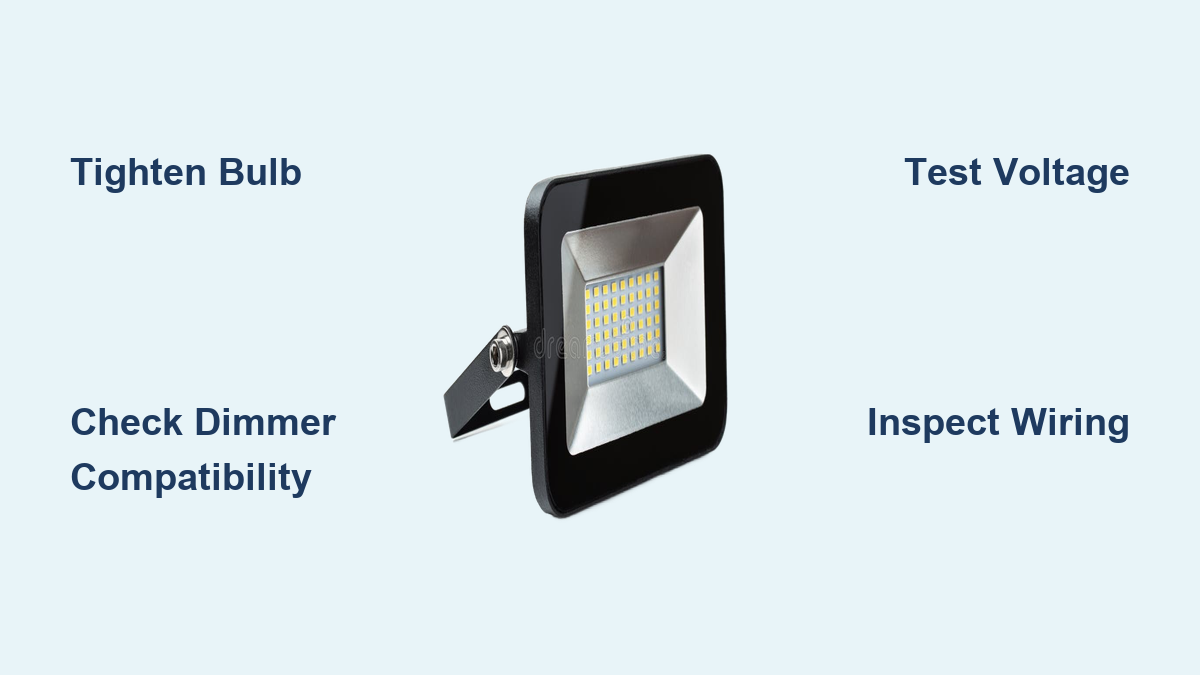
Tighten Bulb Securely
Ensure the LED bulb is fully screwed into the socket. Even a slightly loose fit interrupts current flow and causes intermittent flashing. Turn off power at the breaker before adjusting, then firmly reseat the bulb by hand. Stop tightening when snug to avoid damaging the threads.
Clean Corroded Socket Contacts
Dirt, moisture, or oxidation on the socket’s metal contacts disrupts conductivity. Use compressed air to blow out debris from the socket. For visible corrosion, gently wipe contacts with a dry cloth or apply electrical contact cleaner. Never use water or abrasive tools on socket contacts.
Inspect for Physical Damage
Look for darkening, pitting, or melting inside the socket. These signs indicate overheating or arcing, which require immediate replacement of the fixture or socket assembly to prevent fire risk.
Test for Voltage Fluctuations

LEDs react instantly to power supply changes. Voltage drops from other appliances can make your flood light flash even when nothing seems wrong with the light itself.
Observe Appliance-Triggered Flickering
If the light blinks when the AC, refrigerator, or washing machine kicks on, voltage fluctuation is the likely cause. These high-wattage devices draw surge current that briefly lowers circuit voltage. LEDs respond immediately, producing visible flicker.
Measure Voltage with Multimeter
Set a multimeter to AC voltage and test at the fixture while the circuit is idle. Test again when a large appliance starts. A drop below 110V from a standard 120V supply confirms instability. Sustained low voltage requires a full electrical system evaluation by a licensed professional.
Isolate the Circuit
Move high-load appliances to a dedicated circuit. If the flood light stops blinking after separation, the original circuit was overloaded. This fix prevents future conflicts and improves overall electrical safety throughout your home.
Replace Incompatible Dimmer Switches
Using an old dimmer with LED flood lights is a top cause of persistent blinking, even if the dimmer appears to function normally.
Identify Non-LED Dimmers
Traditional dimmers cut voltage using phase-control methods designed for incandescent bulbs. LEDs require smooth, low-voltage regulation. If your dimmer buzzes, flickers, or fails to dim smoothly, it is likely incompatible with your LED flood light.
Install LED-Compatible Dimmer
Replace the old switch with a trailing-edge (ELV) or universal dimmer rated for LED loads. Confirm the dimmer’s minimum load matches your flood light’s wattage, since many LEDs fall below the threshold of older dimmer designs.
Bypass Dimmer If Not Needed
If dimming is not required, replace the dimmer switch with a standard toggle switch. This eliminates the compatibility issue entirely and ensures stable power delivery to the fixture.
Inspect Wiring and Grounding
Loose, damaged, or corroded wiring creates intermittent connections that lead to blinking, especially in outdoor installations exposed to the elements.
Turn Off Power Before Inspection
Always shut off the circuit at the breaker and verify no voltage is present with a tester before touching any wires. Safety comes first in every electrical diagnostic.
Check Fixture and Junction Box Connections
Open the fixture housing and junction box. Look for wires that are loose at terminals, signs of arcing such as blackened insulation, corrosion on copper strands, and damaged wire nuts or connectors. Retighten all terminal screws and replace any compromised connections immediately.
Verify Proper Grounding
A missing or faulty ground wire causes erratic behavior in LED fixtures. Ensure the fixture’s ground wire connects securely to the circuit ground. Use a multimeter to test continuity between the fixture metal body and the grounding terminal.
Evaluate the LED Driver

The driver converts AC power to the DC current LEDs require. If undersized, failing, or mismatched, it causes flickering even in brand-new lights.
Confirm Driver Compatibility
Check the driver’s output voltage and current against the LED flood light’s specifications. Mismatches in either rating cause unstable operation. For multiple lights, ensure the driver supports the total cumulative load.
Test with Single Light
In a series setup with multiple units, disconnect all but one light. If it runs without flickering, the driver may be undersized for the full load. Recalculate total wattage and upgrade the driver if the existing unit cannot handle the demand.
Replace Low-Quality Drivers
Cheap drivers lack adequate filtering and surge protection. Upgrade to a high-quality, constant-current driver with built-in overvoltage and thermal protection. Look for drivers with UL or ETL certification for verified safety standards.
Prevent Electromagnetic Interference (EMI)
Nearby motors, transformers, or faulty wiring can emit EMI that disrupts LED drivers and causes random blinking.
Turn Off Nearby Devices
Switch off HVAC systems, pool pumps, or garage door openers one at a time. If flickering stops when a specific device powers down, EMI from that device is the culprit.
Install EMI Filter
Add a ferrite core or inline EMI filter on the flood light’s power line. These components suppress high-frequency noise before it reaches the driver and restores stable operation.
Separate Wiring Paths
Avoid running LED wiring parallel to motor or appliance circuits. Cross them at 90-degree angles to minimize electromagnetic interference and protect signal integrity.
Avoid Circuit Overloading
Too many devices on one circuit cause voltage drops that lead to LED blinking, especially in older homes with limited electrical capacity.
Calculate Total Circuit Load
Add up the wattage of all devices on the same circuit as the flood light. A 15-amp circuit should not exceed 1,800 watts total, with continuous loads capped at 1,440 watts (80 percent of capacity). If total load exceeds this threshold, the circuit is overloaded.
Distribute Devices Across Circuits
Move non-lighting devices such as power tools and space heaters to other circuits. For permanent high-draw equipment, consider installing a dedicated circuit to isolate the load.
Upgrade Electrical Panel If Needed
In older buildings, the main panel or wiring may not support modern electrical demands. Consult an electrician if frequent flickering, tripped breakers, or dimming occur across multiple rooms simultaneously.
Fix Series Wiring Issues
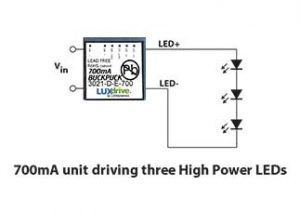
Connecting multiple LED flood lights in series requires precise voltage matching and proper driver capacity to function reliably.
Match Voltage Across All Units
Each light in a series must have identical voltage ratings. A single mismatched unit causes uneven current flow and blinking throughout the chain. Replace any non-matching fixtures with compatible units.
Verify Driver Supports Series Load
The driver must supply enough voltage to power all lights in the chain. For example, six 24V lights in series require at least 144V output. Check manufacturer specifications and use a driver rated above this total to ensure stable operation.
Consider Parallel Wiring Instead
Parallel wiring is more reliable for multiple LEDs. Each light receives full voltage independently, eliminating cascade failure risks. Rewire the system in parallel if frequent issues persist in series setups.
Upgrade to High-Quality Fixtures

Low-cost LED flood lights often use substandard drivers, poor heat dissipation, and unreliable internal wiring, which lead to chronic flickering over time.
Choose Fixtures with Stable Drivers
Look for models with integrated, high-efficiency drivers designed for outdoor use. Brands with thermal management systems such as aluminum heat sinks last longer and flicker less under demanding conditions.
Prioritize Weather Resistance
Outdoor lights must be rated IP65 or higher to resist moisture and corrosion. Sealed housings prevent water ingress that damages internal components and creates short-circuit risks.
Invest in Reputable Brands
Avoid no-name brands from online marketplaces. Stick with trusted manufacturers like Philips, Sylvania, or Feit Electric, which adhere to safety standards and offer meaningful warranties.
Perform Preventive Maintenance
Regular upkeep stops blinking before it starts, especially for exterior commercial or landscape lighting exposed to harsh conditions.
Clean Fixtures Quarterly
Dust, dirt, and insect nests block ventilation and trap heat inside the fixture. Power off and wipe lenses and vents with a damp cloth. Clear debris from sockets and junction boxes during each cleaning session.
Inspect for Weather Damage
After storms, check for cracked housings, water inside the fixture, or rusted mounting hardware. Address these issues immediately to prevent electrical failure and extend fixture life.
Schedule Annual Electrical Check
Have a licensed electrician inspect outdoor circuits, grounding, and connections yearly. Early detection of corrosion or wear prevents safety hazards and costly repairs down the road.
Frequently Asked Questions About LED Flood Light Blinking
Why does my LED flood light blink even after replacing the bulb?
The bulb is rarely the actual cause. External factors like incompatible dimmers, loose wiring, voltage fluctuations, or a failing driver are the most common culprits. A new bulb will flicker just the same if the underlying electrical issue remains unresolved.
Can a bad dimmer switch cause LED flood lights to blink?
Yes. Traditional dimmers designed for incandescent bulbs regulate voltage in a way that conflicts with LED electronics. Replacing the dimmer with an LED-compatible low-voltage model typically eliminates the blinking immediately.
How do I know if voltage fluctuation is causing my flood light to flicker?
Watch for patterns. If the light blinks when a large appliance like an AC or refrigerator turns on, voltage fluctuation is likely. You can confirm by using a multimeter to measure voltage at the fixture during idle and active periods.
Is LED flood light blinking a fire hazard?
It can be. Blinking often indicates loose connections, arcing, or overloaded circuits, all of which generate heat and increase fire risk. Address the issue promptly and consult an electrician if you notice burning smells, discoloration, or warm switches.
How long do LED flood light drivers typically last?
Quality drivers last 5 to 10 years under normal conditions. Poor-quality drivers may fail within 1 to 2 years, especially in outdoor environments with temperature swings and electrical noise. Upgrading to a certified driver extends reliability significantly.
Should I hire an electrician to fix blinking LED flood lights?
If basic checks like tightening bulbs and replacing dimmers do not resolve the issue, professional help is recommended. Electricians can safely diagnose wiring faults, circuit overloads, and grounding problems that require specialized tools and training.
Key Takeaways for Stopping LED Flood Light Blinking
LED flood light blinking almost always points to an external issue rather than a bad bulb. Start with the simplest fixes: tighten the bulb, clean the socket, and rule out dimmer incompatibility. If blinking persists, test for voltage fluctuations, inspect wiring for corrosion or loose connections, and evaluate the driver’s capacity against your total load. Investing in high-quality fixtures with certified drivers and proper weather resistance prevents most flickering problems before they start. For complex electrical issues or persistent blinking after basic troubleshooting, always consult a licensed electrician to ensure safety and lasting results.