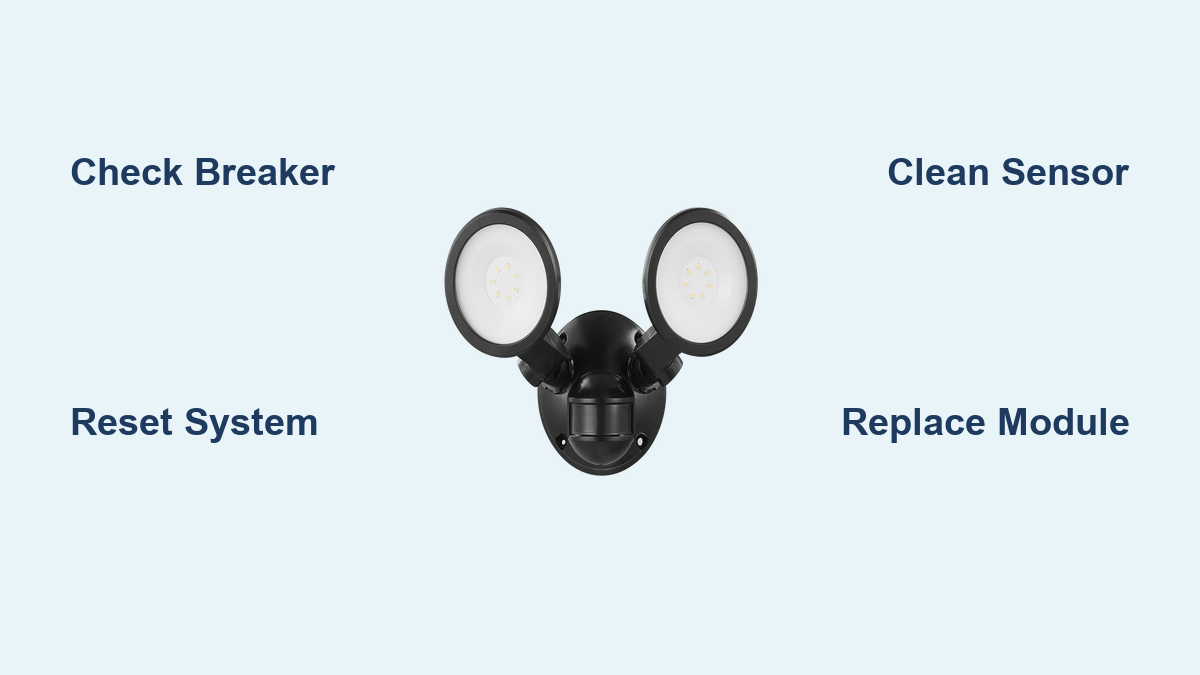

A dark driveway or unlit backyard can feel like a security gap the moment your outdoor light fails. When your Defiant flood light stops responding, the cause is usually simple—power loss, a dirty sensor, or a setting thrown off by weather. The good news is that most fixes take under 30 minutes and require no special training. This guide walks you through every common failure mode so you can get your light back online tonight.
You will learn how to verify power, reset the system, clean sensors, adjust settings, replace faulty modules, and recognize when a full replacement makes more sense. Each step builds on the last, giving you a clear path from diagnosis to repair.
Verify Power Before Anything Else

Many “dead” flood lights are simply disconnected from electricity. Confirming power first prevents wasted effort on parts that aren’t broken.
Check the Circuit Breaker Panel
Head to your electrical panel and locate the breaker controlling the outdoor light. Even a brief overload can trip a breaker without a noticeable pop. Flip the breaker fully off, then back on to reset it. If multiple outdoor fixtures are out, the issue likely sits upstream on the shared circuit.
Test for Voltage at the Fixture
Use a non-contact voltage tester or multimeter to check the line wires at the fixture. With the breaker on, carefully remove the cover and test for current. No voltage means the problem lies between the panel and the light—possibly a tripped breaker, a loose junction box wire, or a faulty wall switch. In documented cases, a disconnected wire inside the switchbox caused total failure across multiple units.
Power Cycle the System
A simple reset clears glitches in sensor logic and stuck relays. This step alone resolves erratic behavior in a large share of cases.
Turn Off Power for 30 Seconds
Switch off the breaker and wait at least 30 seconds. This drains residual power from the internal circuit board and resets both the PIR (motion) sensor and the photocell. Restore power and walk through the detection zone to test motion response.
Toggle the Wall Switch Rapidly
If a manual switch controls the fixture, flip it off and on three times in quick succession. Some Defiant models interpret this pattern as a reset command. Note that this fix is often temporary—if the problem returns, a deeper issue needs attention.
Clean the Sensor Lens
A dirty lens is one of the top reasons a defiant flood light not working properly. Grime, spider webs, and frost block infrared detection and confuse the photocell.
Wipe the PIR Window Gently
Power off the unit first. Use a soft, lint-free cloth to wipe the small plastic sensor window on the front of the fixture. Avoid glass cleaners, alcohol, or abrasive pads—they damage the specialized lens coating and reduce sensitivity over time.
Clear the Photocell Area
The photocell senses ambient light to distinguish day from night. If dirt or shadow covers it, the light may stay on all day or refuse to activate after dark. Ensure no nearby fixture, tree branch, or eave casts a shadow on the sensor during dusk hours.
Adjust Sensitivity and Timer Settings

Incorrect dial positions can make the light ignore motion or stay illuminated for hours. Fine-tuning these controls often solves both problems.
Locate the “S” and “T” Dials
On the underside or back of the sensor head, you will find two small adjustment dials. The “S” dial controls sensitivity (detection range), and the “T” dial sets how long the light stays on after motion stops.
Set Sensitivity to Mid-Range
Turn the “S” dial to the middle position. High sensitivity picks up distant movement like cars or animals, causing false triggers. Low sensitivity may miss actual intruders. Test by walking through the zone and adjusting incrementally until detection feels reliable.
Reduce On-Time to 1–3 Minutes
If the light stays on too long, rotate the “T” dial counterclockwise. Most users find one to three minutes ideal. Avoid maximum settings unless you are covering a large area with frequent traffic.
Replace the Motion Sensor Module
When power is confirmed but the light still won’t activate, the sensor module itself may be dead. A replacement module is far cheaper than a full fixture.
Identify Your Model Number
Check the back or side of the fixture for a model label (common numbers include 30039 and 30029). Order a compatible replacement—Defiant modules are not universal, so matching the exact model ensures proper fit and function.
Swap the Module Safely
- Turn off power at the breaker.
- Remove the cover and locate the sensor unit (usually a small black box with wires).
- Disconnect the wires, noting the configuration: black (line), red (load), white (neutral), green (ground).
- Connect the new module using the same wiring layout.
- Reassemble the housing and restore power to test.
Diagnose Continuous Illumination
A light that stays on all night wastes energy and signals a sensor or environmental problem.
Rule Out Heat and Reflection
HVAC vents, grills, and reflective surfaces like windows or metal siding can trick the PIR sensor into constant activation. Reposition the light or block the reflection with a shield. Also check whether nearby landscape lighting shines directly on the sensor.
Test for Photocell Interference
If the light activates during daylight, the photocell believes it is nighttime. Clean the lens thoroughly and ensure no porch light or streetlamp floods the sensor. If artificial light cannot be redirected, install a small hood over the photocell or relocate the fixture.
Replace a Stuck Sensor
If the light remains on after resetting and repositioning, the internal relay is likely stuck. Replace the sensor module using the steps above.
Fix Intermittent Flickering
Flickering points to unstable power or moisture damage inside the housing.
Inspect Wiring Connections
Turn off power and open the fixture. Look for loose wire nuts, corroded terminals, or frayed insulation. Tighten every connection and replace any damaged wiring. Use waterproof wire nuts if the fixture is exposed to rain.
Check for Water Ingress
Look for condensation, rust trails, or water droplets inside the housing. If moisture is present, dry the unit completely, reseal the gasket, and apply dielectric grease to the wire connections. If the seal is permanently compromised, replacement is the safer long-term option.
Replace Bulbs or Recognize Integrated LED Limits
Not every Defiant light uses replaceable bulbs. Know your model before buying parts.
Swap Standard Screw-In Bulbs
If your unit accepts A19 or PAR38 bulbs, turn off power, remove the cover, and install a compatible LED or incandescent bulb matching the wattage limit. Ensure the bulb seats firmly in the socket.
Understand Integrated LED Panels
Many modern Defiant models feature built-in LED arrays that cannot be replaced. When the LEDs go dark, the LED driver—a small internal power supply board—has usually failed. In this case, the entire fixture must be replaced.
Know When Replacement Beats Repair
Some problems signal the end of a fixture’s useful life. Continuing to patch a failing unit often costs more than starting fresh.
Signs You Need a New Fixture
Replace the entire unit if you notice:
– Cracked or warped housing
– Burnt or melted wiring
– Corrosion on internal circuit boards
– Standing water inside the unit
– Recurring failures after multiple repairs
Consider Upgrading for Reliability
Defiant lights, especially older or budget-tier models, often have inconsistent quality control and shorter lifespans. If you have replaced sensors multiple times, consider upgrading to a brand known for durability and longer warranties, such as Lithonia, Halo, or Brightech. A higher upfront cost frequently translates into lower long-term maintenance.
Prevent Future Failures
Routine maintenance keeps your flood light working reliably for years.
Schedule Quarterly Inspections
Every three months, clean the sensor lens, check for loose mounting screws, test motion detection, and verify that all wiring remains tight. A five-minute check prevents most surprise failures.
Protect the Fixture from Weather
Ensure the cover seals properly against the housing. Apply silicone caulk around the mounting base if gaps appear. Avoid aiming the sensor directly into heavy rain or snow, which can cause false triggers and accelerate wear.
Avoid Circuit Overload
Do not daisy-chain multiple high-wattage lights onto a single circuit. Voltage drops from overloaded circuits cause premature component failure and erratic behavior.
Frequently Asked Questions About Defiant Flood Light Problems
Why is my Defiant flood light not turning on at all?
A complete lack of operation usually means power is not reaching the fixture. Check the circuit breaker first, then test for voltage at the junction box. A disconnected wire in the switchbox is a common culprit when multiple lights fail at once.
How do I reset a Defiant motion sensor light?
Turn off the breaker for at least 30 seconds, then restore power. This clears the internal circuit board and reboots both the motion and photocell sensors. If a wall switch controls the light, flipping it off and on three times rapidly can also trigger a reset on some models.
What does it mean when the red indicator light is not blinking?
The absence of a blinking red LED strongly suggests total power loss or catastrophic failure of the internal electronics. Prioritize checking the breaker and inspecting the switchbox wiring before assuming the fixture itself is dead.
Why does my Defiant flood light stay on all night?
Continuous illumination typically results from heat sources, reflective surfaces, or a stuck sensor relay. Reposition the light away from HVAC vents and shiny surfaces, then reset the power. If the behavior continues, replace the sensor module.
Can I replace the LED bulbs in my Defiant flood light?
Only if your model uses standard screw-in bulbs. Many newer Defiant fixtures have integrated LED panels that are not user-replaceable. When those LEDs fail, the LED driver is usually the cause, and the entire fixture must be replaced.
How often should I clean the sensor lens?
Clean the lens every three months as part of routine maintenance. Dust, pollen, and spider webs accumulate quickly outdoors and can block infrared detection or confuse the photocell, leading to false triggers or failure to activate.
Key Takeaways for Restoring Your Defiant Flood Light
Start every diagnosis by confirming power at the breaker and the fixture itself. A 30-second power cycle resolves most sensor glitches without any tools. Keep the lens clean and the sensitivity dial set to mid-range to avoid false triggers and missed detections. When a component fails, match replacement parts to your exact model number for a reliable fix. If the housing is cracked, wiring is burnt, or the LED driver has failed, replacing the entire fixture is usually the most cost-effective path forward. With these steps, your defiant flood light not working becomes a solvable problem rather than a recurring frustration—and your property stays safely illuminated night after night.