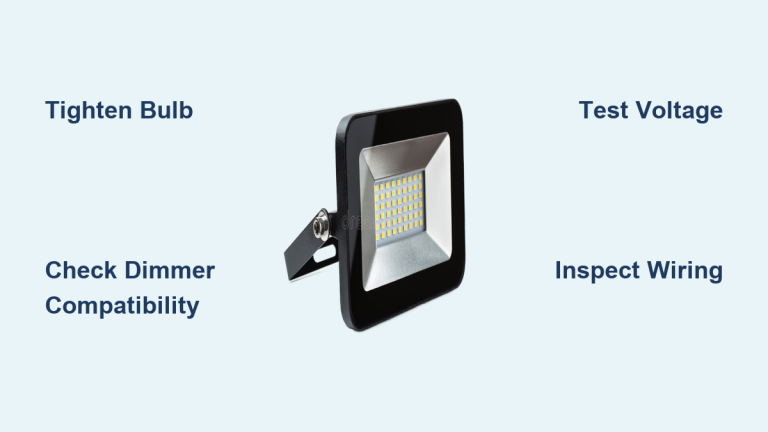
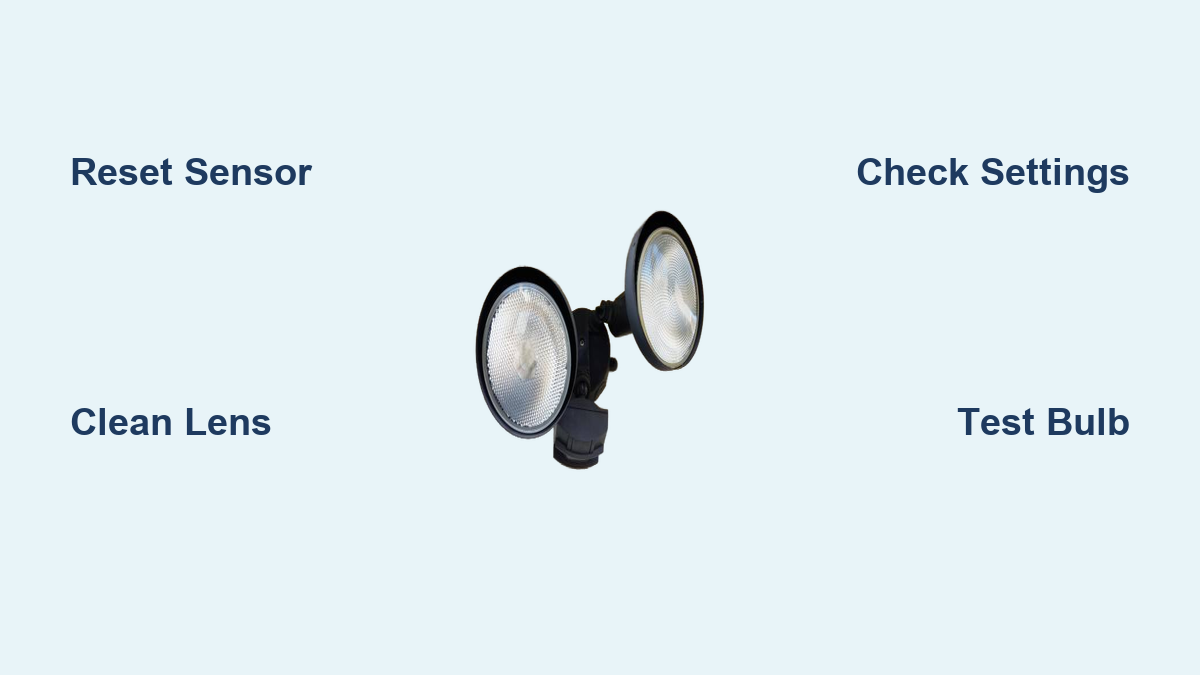

Your motion detector flood light isn’t turning on, stays on all night, or flickers for no reason. You’re not alone—thousands of homeowners face the same issue every year. Most problems with motion sensor flood lights aren’t due to faulty wiring or broken bulbs. Instead, they stem from simple, fixable causes like dirty lenses, incorrect settings, or power glitches.
The good news? 90% of motion detector flood light issues can be resolved in under 10 minutes with no tools. This guide walks you through a fast diagnostic checklist, explains how PIR sensors really work, and shows you how to permanently fix common failures—no electrician needed unless absolutely necessary. By the end, you’ll know exactly how to reset, clean, adjust, and reposition your light for reliable performance year-round.
Reset the Motion Sensor

Power Cycle the Fixture
The fastest way to fix a frozen or unresponsive sensor is a full power reset. This clears any internal logic errors in the control board.
- Turn off the wall switch controlling the light.
- Wait 10 to 30 seconds—this allows capacitors to discharge.
- Flip the switch back on.
Most units will reboot into normal sensor mode. If your light has a manual override (often activated by rapid switching), this resets it back to “AUTO.”
Use Breaker Reset for Stubborn Units
If the wall switch doesn’t work:
– Shut off the circuit breaker for 60 seconds.
– Restore power and wait up to a minute for the sensor to recalibrate.
This deep reset is essential if settings keep changing or the light behaves erratically after storms or power surges.
Avoid Rapid-Cycle Errors
Never toggle the switch rapidly (ON-OFF-ON). Many sensors interpret this as a command to lock in manual ON mode, which keeps the light running constantly. If this happens, perform a full reset to restore automatic operation.
Clean the Sensor Lens

Why Dirt Causes Problems
A grimy lens is one of the top causes of both missed detections and false triggers. Dust, pollen, spider webs, and road grime scatter infrared signals, confusing the PIR sensor.
Spiders are especially problematic—webs on the lens create heat differentials that mimic moving targets, causing all-night activation.
Safe Cleaning Steps
- Turn off power at the breaker.
- Let the fixture cool completely.
- Gently wipe the sensor lens with a soft, damp microfiber cloth.
- For stubborn buildup, use mild soap and water.
- Dry thoroughly before restoring power.
Do not use: Harsh chemicals, abrasive pads, or high-pressure water. These can scratch or cloud the lens, permanently reducing sensitivity.
Inspect for Hidden Obstructions
Check inside the housing hood for:
– Cobwebs
– Insect nests
– Leaves or debris blocking the field of view
Clear all obstructions to ensure a clean line of sight.
Check the Three Control Dials
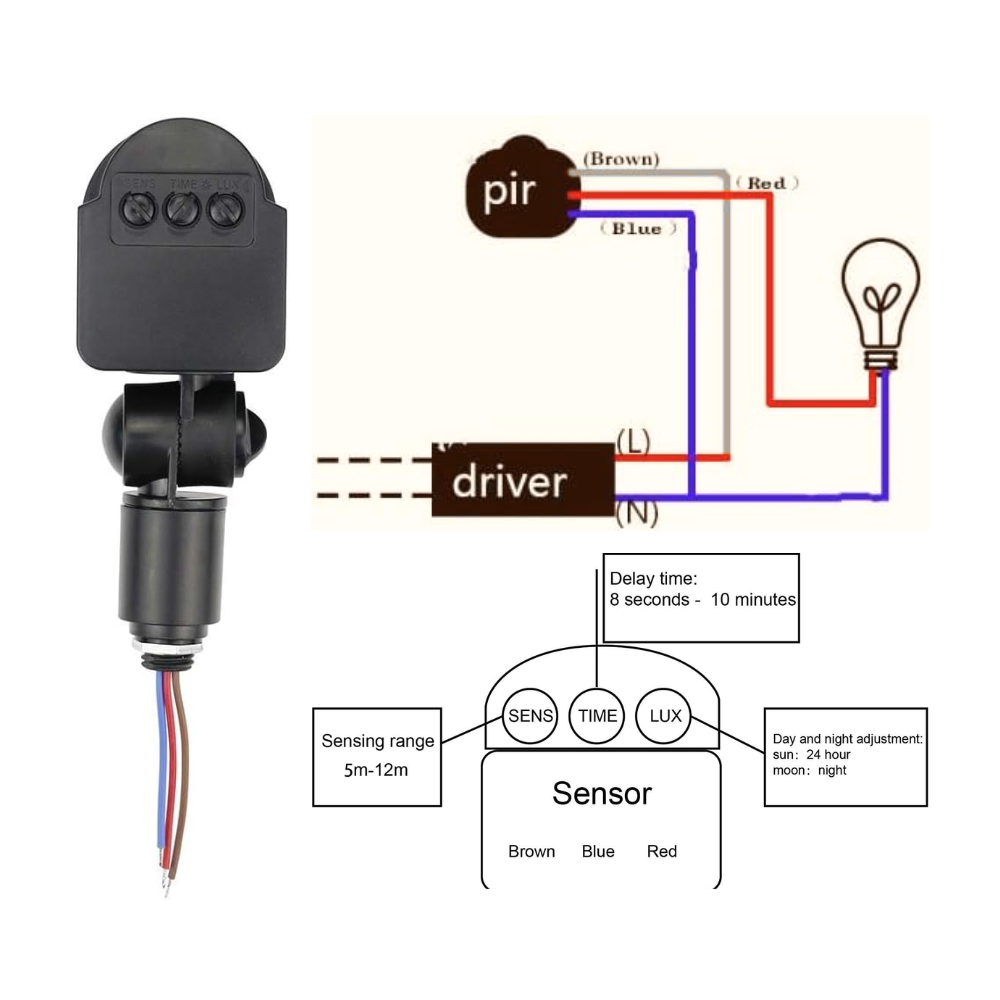
Nearly every problem traces back to one of three settings: SENS, TIME, and LUX. Locate these dials on your fixture and verify their positions.
Adjust Sensitivity (SENS)
Controls how much heat change is needed to trigger the light.
- Too low? Ignores people and pets.
- Too high? Triggers on bugs, wind-blown leaves, or distant heat sources.
Fix: Start at 50–75% sensitivity. In cold weather, increase it slightly. In hot climates or near wildlife, reduce it.
Set Timer (TIME)
Determines how long the light stays on after detecting motion.
- If set to maximum, the light may appear to stay on constantly.
- If too short, it shuts off before you reach your door.
Fix: Adjust to 1–5 minutes for most uses. Test with a walk-through.
Calibrate Daylight (LUX)
Controls when the sensor activates based on ambient light.
- Turn dial toward the sun symbol to prevent daytime activation.
- Turn toward the moon symbol to allow activation earlier at dusk.
Common mistake: A light that won’t turn on at night often has the LUX dial set too high (sun symbol), preventing activation even in darkness.
Verify Power and Bulb Status
Confirm Electrical Supply
Even if other lights work, your motion flood may be on a tripped breaker or GFCI outlet.
- Check the circuit breaker panel—look for any switches in the middle position.
- Press reset on nearby GFCI outlets (porch, garage, basement).
- Test voltage with a non-contact tester at the fixture wires.
If no power, reset the breaker. If it trips again, call an electrician—there may be a short.
Test the Bulbs
LED or halogen bulbs can fail silently.
- If the light doesn’t turn on but the sensor detects motion (red LED blinks), the bulb may be dead.
- Replace with compatible bulbs only—non-dimmable LEDs in dimmable fixtures cause flickering and buzzing.
Pro Tip: Use the same wattage or lumen output as specified on the fixture label. Overloading can damage the internal relay.
Inspect Wiring Connections
Loose wires cause intermittent operation.
- Turn off power at the breaker.
- Remove the fixture cover.
- Check that:
– Black (hot), white (neutral), and ground wires are securely connected.
– No corrosion or burnt insulation is visible. - Tighten terminal screws if loose.
If wires show damage, replace the fixture or consult an electrician.
Diagnose Common Failure Modes
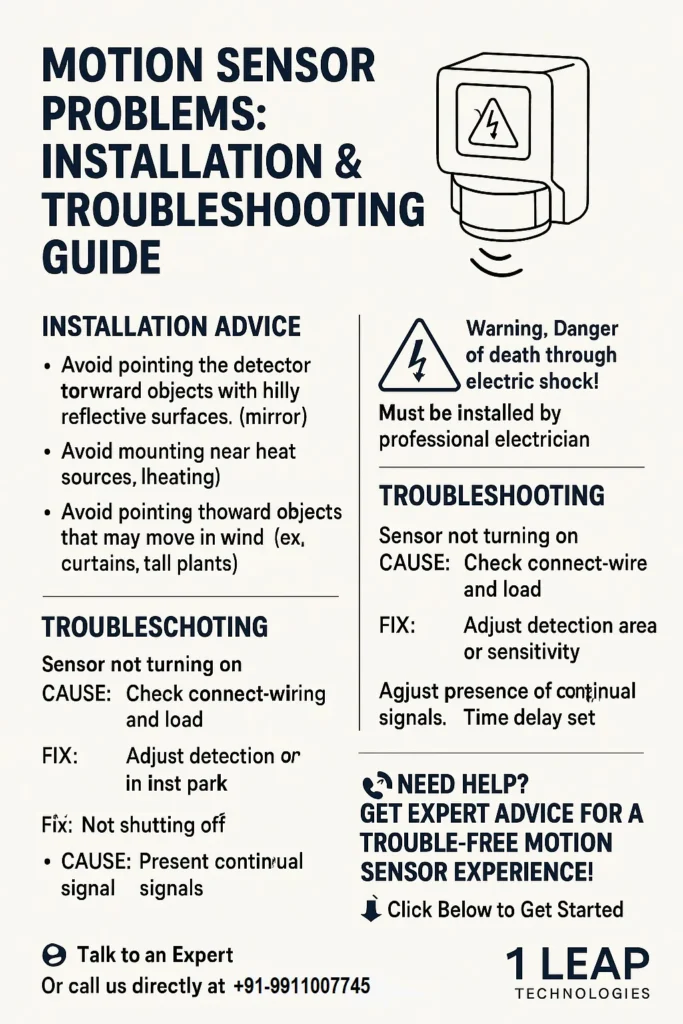
Light Won’t Turn On at All
Check LUX Setting First
Most “dead” lights are simply set to ignore low-light conditions.
Fix: Rotate the LUX dial fully toward the moon symbol. Test at night or cover the sensor with tape to simulate darkness.
Test for Relay Failure
If the red indicator blinks when motion is detected but the bulbs don’t light:
– The sensor works, but the internal relay is faulty.
– This is common in older units exposed to moisture.
– Solution: Replace the entire fixture.
Rule Out Photocell Lockout
Some models prevent activation during daylight even if motion is detected. Use “TEST MODE” (if available) to bypass the photocell and confirm sensor function.
Light Stays On Constantly
Look for Continuous Heat Sources
Common culprits:
– HVAC exhaust vents
– Heat pumps or pool equipment
– Sun-warmed pavement radiating heat at night
– Wind-blown flags or tree branches
Fix: Reposition the sensor or reduce sensitivity.
Check Manual Override Mode
Rapidly flipping the switch can lock the light in manual ON.
Fix: Perform a full reset (power off for 30 seconds). Ensure the mode returns to “AUTO.”
Lower the TIME Dial
If the timer is set to 10+ minutes, frequent motion resets the countdown, making the light seem stuck on.
Fix: Reduce to 1–2 minutes and observe.
False Triggers at Night
Clean the Lens Thoroughly
Spiders and webs are the #1 cause of phantom activation.
Fix: Clean weekly during warm months. Consider applying a spider deterrent spray around the fixture (not on the lens).
Reduce Sensitivity
High SENS settings detect small animals, insects, or heat waves from distant roads.
Fix: Lower sensitivity until only human-sized movement triggers the light.
Reposition Away From Reflective Surfaces
Windows, metal siding, and water features reflect heat and light, confusing the sensor.
Fix: Aim the sensor slightly downward or re-mount to avoid reflections.
Short Detection Range
Adjust Angle of Detection
PIR sensors detect cross-motion far better than direct approach.
- A sensor aimed straight down a driveway will miss someone walking toward it.
- Fix: Angle the sensor so people cross its field of view sideways.
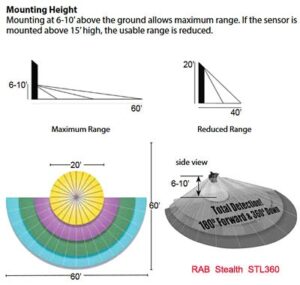
Optimize Mounting Height
Best range is achieved at 6 to 10 feet:
– Too high (>10 ft): Misses low heat signatures.
– Too low (<6 ft): Narrow coverage and false triggers from pets.
Fix: Re-mount if necessary, or adjust the tilt.
Remove Obstructions
Overgrown bushes, gutters, or signs block the sensor’s view.
Fix: Trim vegetation and clear the line of sight.
Flickering or Buzzing Lights
Use Compatible Bulbs
Non-dimmable LEDs in sensor-controlled fixtures cause flickering.
Fix: Install dimmable LED bulbs or check manufacturer recommendations.
Tighten Loose Connections
Vibrations loosen wire terminals over time.
Fix: Turn off power and re-secure all connections.
Replace Failing Driver
If flickering continues after bulb replacement:
– The internal driver or PCB is failing.
– Moisture damage is likely.
– Fix: Replace the fixture.
Optimize Sensor Positioning
Avoid Heat Interference
Never point the sensor at:
– Air conditioner vents
– Chimneys
– Driveways with hot cars
– Grills or outdoor heaters
These emit infrared radiation that mimics human movement.
Prevent Environmental Triggers
- Keep branches, tall grass, and hanging plants out of the detection zone.
- Avoid aiming at busy streets or sidewalks unless intentional.
Maximize Security Coverage
For best protection:
– Overlap detection zones between multiple lights.
– Aim sensors across walkways, not parallel to them.
– Cover dark corners and entry points.
When to Replace the Fixture

Signs of Permanent Failure
Replace the unit if:
– Settings reset after power cycles.
– No response despite power and good bulbs.
– Random activation regardless of adjustments.
– Visible corrosion or cracked housing.
– Moisture inside the lens.
Expected Lifespan
- LED bulbs: 15,000–50,000 hours.
- PIR sensor & control board: 3–7 years, depending on climate.
Coastal salt air, extreme heat, and freeze-thaw cycles accelerate wear.
Upgrade Smart Features
Modern replacements offer:
– Adjustable detection zones
– Built-in LED arrays (no bulb replacement)
– IP65+ weather resistance
– App control and scheduling
Consider upgrading for longer life and better reliability.
Prevent Future Issues
Seasonal Maintenance Schedule
| Task | Frequency |
|---|---|
| Clean lens and housing | Every 3–6 months |
| Check dial settings | Annually |
| Inspect wiring and seals | Annually |
| Perform reset | After power outages |
Quick Annual Tune-Up
- Power off and clean the lens.
- Verify SENS, TIME, and LUX are correctly set.
- Tighten mounting screws.
- Test with a walk-through at night.
Frequently Asked Questions About Motion Detector Flood Lights
Why does my motion sensor flood light stay on all night?
A light that stays on constantly usually has one of three causes: the TIME dial is set too high, the sensor is locked in manual override mode, or a continuous heat source (like an HVAC vent or sun-warmed pavement) is resetting the timer. Start by reducing the TIME setting and performing a full power reset.
How do I reset a motion sensor light that won’t turn off?
Turn the wall switch off for 10 to 30 seconds, then back on. If that doesn’t work, cut power at the circuit breaker for a full minute. This clears any locked manual override mode and restores automatic sensor operation.
Can spiders really trigger a motion sensor light?
Yes. Spider webs on the lens create tiny heat differentials that PIR sensors interpret as movement. This is one of the most common causes of false triggers at night. Clean the lens regularly and consider applying spider deterrent spray around the fixture housing.
Why won’t my motion light turn on at night?
The most common reason is that the LUX (daylight) dial is set too high, preventing activation even in darkness. Rotate the dial fully toward the moon symbol. If the red indicator blinks when you walk by but the bulbs don’t light, the internal relay has likely failed and the fixture needs replacement.
What height should I mount a motion flood light?
Mount between 6 and 10 feet for optimal detection range. Too high and you’ll miss low heat signatures; too low and you’ll get narrow coverage and false triggers from pets. Angle the sensor so people cross its field of view sideways rather than walking directly toward it.
Do LED bulbs work in motion sensor flood lights?
Yes, but you must use compatible bulbs. Non-dimmable LEDs in fixtures expecting dimmable loads cause flickering and buzzing. Check the fixture label for wattage and bulb type specifications, and use dimmable LED bulbs when possible.
Key Takeaways for Fixing Your Motion Detector Flood Light
Start with the simple fixes first: power cycle the fixture, clean the lens with a microfiber cloth, and verify your SENS, TIME, and LUX dial settings. These three steps resolve the majority of motion detector flood light problems without any tools or technical knowledge.
If the light still misbehaves, check the power supply, test the bulbs, and inspect for loose wiring. Reposition the sensor away from heat sources and reflective surfaces to eliminate false triggers and extend detection range. When internal components fail due to age or moisture damage, replacement is faster and more reliable than repair.
For long-term reliability, clean the lens every 3–6 months and perform an annual tune-up. With proper care, your motion detector flood light will deliver years of hands-free security and convenience.