

Is your Vivint flood light not working when you need it most? You’re not alone. Many homeowners rely on Vivint’s outdoor lighting for security and convenience, so when the unit fails to turn on, flickers constantly, or ignores motion, it can leave your property exposed and your peace of mind shaken. This guide covers the most common causes and proven fixes for a non-functional Vivint flood light, from simple resets to hardware checks. You’ll learn how to diagnose the issue step by step, restore operation quickly, and prevent future problems without calling a technician in most cases.
Check the Power Source First

Before diving into complex troubleshooting, verify your Vivint flood light is actually receiving power. A dead circuit or tripped breaker is the most frequent cause of total light failure.
Test the Circuit Breaker
Head to your electrical panel and locate the breaker controlling the flood light. If it’s in the middle position or flipped to “off,” it has tripped. Turn it fully off, then back on to reset the connection. If it trips again immediately, there may be a short in the wiring. Stop and contact a licensed electrician.
Confirm GFCI Outlet Status
If your flood light is connected to a GFCI outlet, press the “Reset” button on the receptacle. These outlets cut power during electrical surges or moisture exposure. A tripped GFCI often goes unnoticed but can disable your entire outdoor lighting circuit.
Inspect the Transformer for Hardwired Models
Vivint flood lights are often hardwired to a low-voltage transformer. Locate the transformer (usually near the main panel or outdoor junction box) and check for visible damage, buzzing sounds, or loose wire connections. Replace the transformer if it appears burned or underpowered.
Reset the Vivint Flood Light
A soft reset can resolve communication glitches or firmware hiccups that prevent normal operation. This is often the fastest way to fix a Vivint flood light not working.
Perform a Manual Reset
- Turn off power to the light at the breaker.
- Wait 30 seconds.
- Turn power back on.
- Observe the light for a flash or reboot sequence within 60 seconds.
This forces the device to reboot and re-establish connection with the Vivint panel or hub.
Refresh Device Status in the Vivint App
Open the Vivint Smart Home app and navigate to your flood light device. Tap the settings icon and select “Refresh” or “Reconnect Device.” If the light shows as offline, this step may prompt it to rejoin the network automatically.
Diagnose Motion Sensor Issues

If the light is powered but doesn’t activate on motion, the sensor may be malfunctioning or misconfigured.
Verify Motion Sensitivity Settings
In the Vivint app, go to Device Settings and select Motion Sensing. Ensure sensitivity is set to “High” or “Medium” and that detection range is enabled. Low sensitivity or a narrowed field of view can make the light appear unresponsive to movement.
Clean the Sensor Lens
Dirt, spider webs, or frost can block the passive infrared sensor. Turn off power, then wipe the sensor window with a soft, dry cloth. Avoid harsh chemicals that could scratch the lens or damage the seal.
Rule Out Environmental Interference
Heat sources like vents, grills, or reflective surfaces can cause false triggers or desensitization. Reposition the light if possible, or adjust its angle to avoid direct exposure to heat vents or moving foliage.
Inspect for Physical and Wiring Damage
Visible damage or loose connections often cause intermittent or complete failure in outdoor lighting systems.
Examine the Fixture for Water Intrusion
Remove the cover and check for moisture inside the housing, rust on terminals, or a foggy lens. Water damage can short-circuit internal components. If found, dry the unit thoroughly and replace any worn seals or gaskets.
Tighten All Wire Connections
With power off, inspect wire nuts for loose or disconnected leads. Confirm the ground wire is securely fastened and that no copper is exposed. Reconnect any loose wires and secure them with new wire nuts if needed.
Replace the Light if Troubleshooting Fails
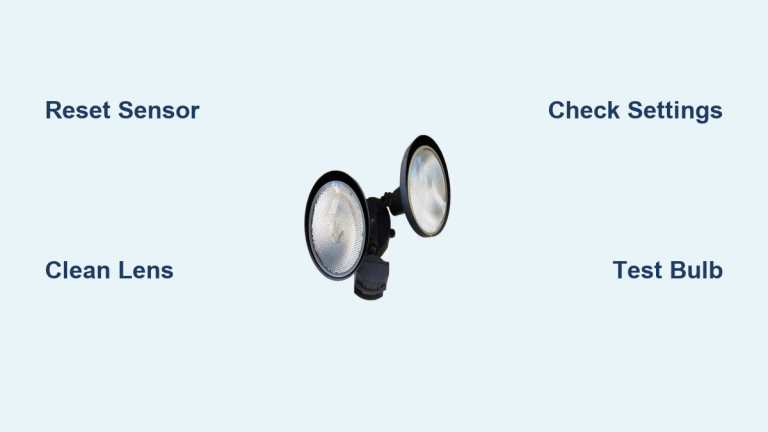
If all other steps fail to fix your Vivint flood light not working, the unit may have a failed LED array or internal board that requires replacement.
Confirm Warranty Eligibility
Vivint devices typically come with a limited warranty. Log in to your Vivint account or contact support to check coverage. If under warranty, you may qualify for free repair or replacement.
Order a Direct Replacement
Visit the Vivint online store or call customer service to order a new flood light. Provide your model number (usually on the back of the unit) to ensure compatibility with your existing system.
Install the New Unit
- Turn off power at the breaker.
- Remove mounting screws and disconnect wires.
- Connect the new light (match black to black, white to white, ground to ground).
- Secure the fixture and restore power.
- Pair with the Vivint system via the app.
Follow the included instructions for any model-specific pairing steps.
Prevent Future Flood Light Failures
Keep your Vivint flood light working reliably with simple, routine maintenance.
Schedule Biannual Cleanings
Every six months, wipe down the lens and housing, clear debris from vents, and inspect for insect nests. Dust and grime reduce brightness and sensor accuracy over time.
Update Firmware Regularly
Ensure your Vivint system is set to auto-update. Firmware updates often include stability fixes for outdoor devices. Check the app periodically for any pending updates.
Install Surge Protection
Power surges from storms can damage outdoor electronics. Install a whole-home surge protector or use a surge-suppressing outdoor outlet to extend device life.
Frequently Asked Questions About Vivint Flood Lights
Why is my Vivint flood light not turning on at all?
The most common cause is a loss of power. Check the circuit breaker, GFCI outlet, and transformer first. If power is flowing but the light still won’t activate, perform a manual reset by cutting power for 30 seconds.
How do I reset my Vivint outdoor flood light?
Turn off the breaker controlling the light, wait 30 seconds, then restore power. The light should flash within 60 seconds to confirm a successful reboot. You can also refresh the device in the Vivint app.
Can a dirty sensor cause the flood light to stop working?
Yes. Dirt, spider webs, or moisture on the motion sensor lens can prevent the light from detecting movement. Clean the lens with a soft, dry cloth and test the light again.
Does the Vivint warranty cover flood light replacement?
Vivint devices typically include a limited warranty. Coverage varies by product and purchase date, so check your account or contact support to confirm eligibility before buying a replacement.
What should I do if my flood light flickers constantly?
Flickering usually points to a loose wire connection, failing transformer, or incompatible dimmer setting. Inspect all wiring with the power off and ensure the transformer is supplying consistent voltage.
Can weather cause my Vivint flood light to stop working?
Yes. Heavy rain, snow, and humidity can seep into the housing and damage internal components. Check for moisture intrusion and reseal the fixture if you notice condensation inside the lens.
Key Takeaways for Fixing Your Vivint Flood Light
A Vivint flood light not working is usually fixable with basic electrical checks, a manual reset, and routine sensor maintenance. Start with power verification and a soft reset, since most issues are resolved at this stage. If hardware failure is confirmed, replacement is straightforward and often covered under warranty. Keep your app updated and perform seasonal cleanings to ensure long-term performance and reliable outdoor security.