
Flood lights brighten driveways, backyards, and entryways, but sometimes you need them off. Maybe the motion sensor triggers every time a cat walks by, or the LEDs leave you temporarily blinded on your way to the door. Perhaps you want your security camera recording without the glare of a floodlight. Whatever the reason, learning how to turn off flood lights the right way saves frustration and prevents damage to your fixture.
This guide breaks down three reliable approaches: mechanical sensor covers, electrical resets, and smart app controls. You’ll discover which method fits your light type, how to fix a unit stuck on, and what shortcuts to avoid.
Remote Sensor Cover System
For motion-activated flood lights that need temporary disabling, physically blocking the sensor is the safest non-electrical solution. This approach works well for renters, shared households, or anyone sensitive to bright LED light.
Build a Rope-Operated Cover
This setup lets you disable the sensor from a distance, so you never walk into the glare zone unprotected.
Materials Needed:
– Opaque container (plastic bucket or ice cream tub)
– Rope or strong cord (10–15 ft)
– Pulley or hook (optional)
– Anchor point (nail, fence post, or wall bracket)
Setup Steps:
1. Place the container over the motion sensor while the light is off.
2. Tie one end of the rope securely to the container.
3. Run the rope along a path leading to your entry point.
4. Anchor the free end at a reachable height, or thread it through a pulley.
5. At night, pull the rope before entering the detection zone to cover the sensor.
6. After reaching your door, release the rope so gravity removes the cover.
Pro Tip: Use glow-in-the-dark tape on the rope for easier nighttime handling.
Manual Bucket Method
If a pulley system feels like too much work, try the simpler manual approach:
– Store an opaque bucket near the fixture.
– Place it over the sensor before approaching at night.
– Remove it immediately after passing through the zone.
Watch Out: Forgetting to remove the cover leaves others without motion detection until you clear it.
Electrical Reset Procedures
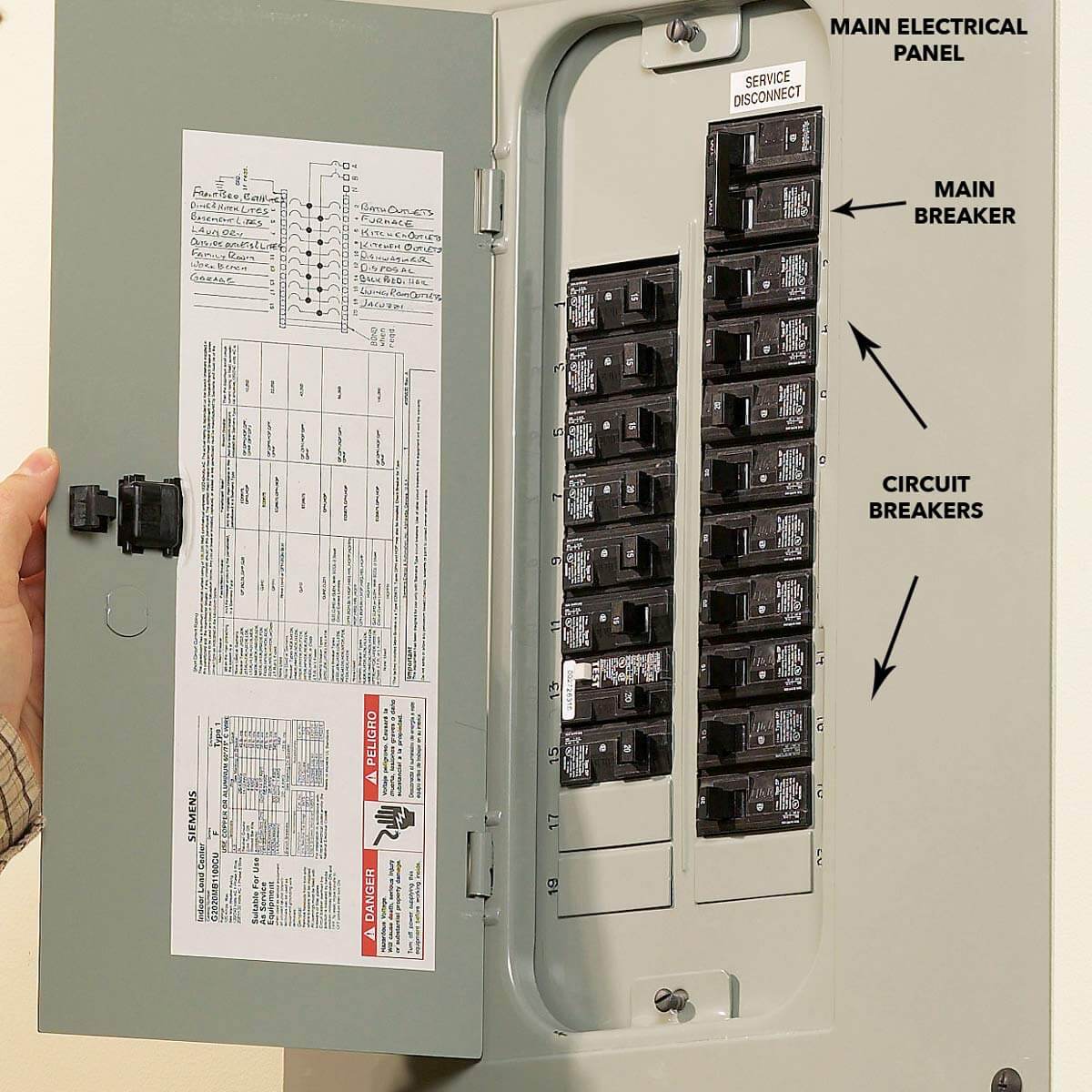
When flood lights stay on constantly or stop responding, a reset clears internal errors caused by power surges, weather exposure, or aging components.
Cut Power via Circuit Breaker
This hard reset works for nearly all hardwired motion lights.
Steps:
1. Locate the breaker controlling the flood light at your electrical panel.
2. Flip it to the OFF position.
3. Wait at least 1 minute (some models require up to 60 minutes for full capacitor discharge).
4. Flip the breaker back to ON.
5. Test the light by walking through the detection zone.
Safety First: Always stand on a dry surface and avoid touching metal parts inside the panel.
Wall Switch Reset Sequence
If your flood light connects to a standard wall switch, try these sequences before touching the breaker.
Basic Toggle Reset:
1. Turn the switch ON.
2. Turn it OFF and hold for 2–3 seconds.
3. Flip it back ON.
4. Wait 10 seconds and check for normal operation.
Advanced 4-Tap Reset (If Basic Fails):
1. Flip the switch ON/OFF rapidly four times.
2. Stop when the light turns ON.
3. Turn the switch OFF and wait 5–7 seconds.
4. Turn it ON again.
5. Success indicator: the light stays off initially, confirming motion-detection mode is active.
If the light turns on immediately and stays lit, the unit may be in test mode or has a faulty sensor.
Smart Flood Light App Controls

Smart flood lights like the Ring Floodlight Cam let you disable the LEDs while keeping video recording active. This setup is ideal for nighttime backyard relaxation without losing security coverage.
Disable Motion Lights via the Ring App
Steps:
1. Open the Ring app and tap the menu icon (three horizontal lines).
2. Go to Devices and select your Floodlight Cam.
3. Tap Device Settings, then choose Light Settings.
4. Toggle Motion Activated Lights to OFF.
The camera continues recording motion events, but the floodlights stay dark. Toggle the setting back ON whenever you want full illumination restored.
Note: If “Light Settings” doesn’t appear, update your app or check device compatibility. Older models may not support independent light control.
Schedule Lights to Stay Off
Avoid manual toggling by automating the schedule:
1. In Light Settings, select Light Scheduling.
2. Set the lights to OFF during specific hours (such as 8 PM to 7 AM).
3. Save your changes.
Your lights won’t activate during those windows unless you turn them on manually.
Fix Stuck-On Flood Lights
A light that refuses to turn off usually has a fixable cause. Diagnose the problem before replacing the entire fixture.
| Problem | Likely Cause | Solution |
|---|---|---|
| Light stays on 24/7 | Power surge froze the logic board | Perform a breaker reset (1+ minute) |
| Flickers or cycles on/off | Dirty sensor or moisture intrusion | Clean the lens and check weatherproofing |
| Triggers on small movement | High sensitivity setting | Lower motion sensitivity in the app |
| No response to motion | Failed PIR sensor or wiring issue | Try a reset; replace the unit if it fails |
| Only half the panel lights up | Partial LED failure | Replace the bulb or full fixture |
Clean the Sensor Lens
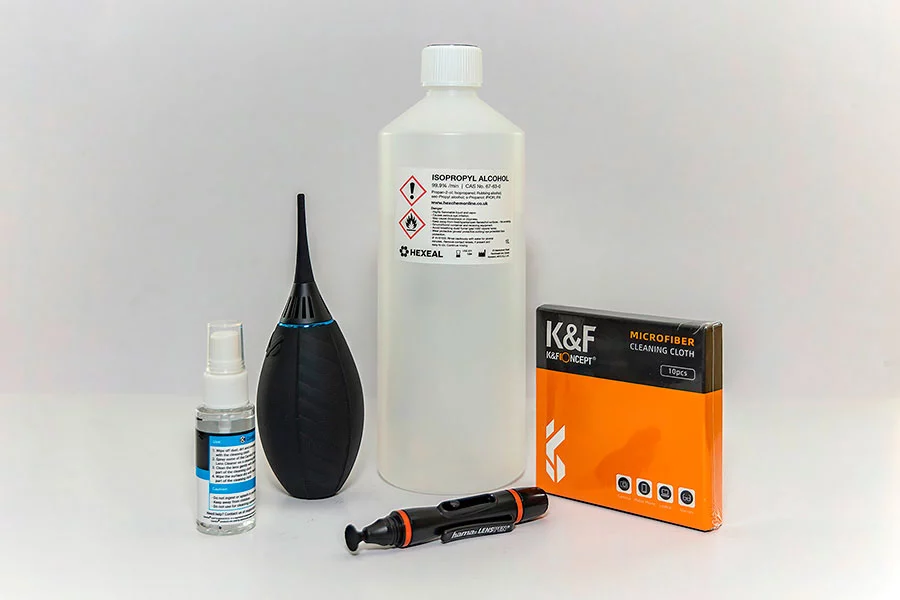
Dirt, cobwebs, and condensation cause false triggers or sensor blindness. Clean the lens every 3–6 months for reliable performance.
How to clean:
1. Turn off power at the breaker.
2. Wipe the sensor dome gently with a microfiber cloth.
3. Use isopropyl alcohol for stubborn grime.
4. Let it dry completely before restoring power.
Why Standard Fixes Fail
Many common shortcuts don’t actually solve the problem.
Hand Shielding or Sunglasses
Shading your eyes or wearing sunglasses doesn’t block the initial blue-light flash that causes temporary blindness. Cover the sensor instead.
Adjusting the Light Angle
Tilting the fixture often leaves part of your path inside the detection zone. Combine angle tweaks with lower sensitivity or app scheduling.
Clear Covers Over the Sensor
Glass and clear plastic allow infrared signals to pass through, so the sensor still triggers. Use only opaque materials like buckets or cardboard.
Removing the Bulb
Some units still complete the circuit or display error codes with the bulb removed. Use app control or a switch reset instead.
Choose the Right Method for Your Situation
Roommate Conflicts or Light Sensitivity
Use the remote cover system. It’s non-destructive, reversible, and requires no electrical work.
Light Won’t Turn Off
Start with a breaker reset (1–60 minutes). This clears logic errors and works on most hardwired units.
Smart Light Owners (Ring, etc.)
Use the app-based toggle. Keep the camera recording while the lights stay dark.
Frequent False Alarms
Clean the sensor and adjust sensitivity. This addresses the root cause instead of just masking symptoms.
Maintenance Tips for Long-Term Reliability
Keep your flood lights performing well with these habits:
– Clean the sensor monthly in dusty or insect-heavy areas.
– Inspect seals annually for cracks or moisture damage.
– Replace bulbs only with the correct wattage and type (LEDs preferred).
– Update smart light apps regularly for bug fixes and features.
– Test the motion range quarterly by walking the detection path.
Frequently Asked Questions About Turning Off Flood Lights
How do I turn off a flood light that won’t shut off?
Start with a circuit breaker reset. Flip the breaker OFF, wait at least one minute, then flip it back ON. If the light stays on, try a wall switch toggle sequence or check for a failed sensor that needs replacement.
Can I disable flood lights without turning off the camera?
Yes. On smart floodlight cameras like the Ring Floodlight Cam, open the app, go to Device Settings, then Light Settings, and toggle Motion Activated Lights OFF. The camera keeps recording while the LEDs stay dark.
Will covering the motion sensor with a bucket really work?
Only if the container is fully opaque. Clear plastic or glass allows infrared signals to pass through, so the sensor still triggers. A solid bucket, tub, or cardboard box blocks the sensor completely.
How long should I leave the breaker off to reset a flood light?
Wait at least one minute. Some models require up to 60 minutes to fully discharge capacitors and clear internal logic errors. When in doubt, leave the power off longer rather than shorter.
Why does my flood light turn on during the day?
The photocell (light sensor) may be dirty, shaded, or failing. Clean the sensor lens and make sure nothing blocks its view of the sky. If the problem continues, the photocell likely needs replacement.
Key Takeaways for Controlling Your Flood Lights
Turning off flood lights comes down to matching the method to your setup. Use a rope-operated cover for temporary, non-invasive disabling. Run a breaker or switch reset when the unit malfunctions. Tap your smart app when you want camera coverage without the glare.
Start by identifying your flood light type and the specific problem you’re facing. Then apply the matching solution from this guide. You’ll gain full control over your outdoor lighting, whether you’re aiming for security, comfort, or both.