
Is your motion sensor flood light stuck on, refusing to activate, or flickering through the night? These frustrating issues are incredibly common, and the fix is usually simpler than you think. In fact, 90% of motion sensor problems can be resolved in under 15 minutes without calling an electrician or replacing the entire unit.
Most motion sensor flood lights rely on Passive Infrared (PIR) technology to detect body heat moving across their zones. When dirt, wrong settings, or environmental factors interfere with this detection, the light misbehaves. This guide walks you through every fix step by step, from quick resets to dial adjustments and proper sensor aiming.
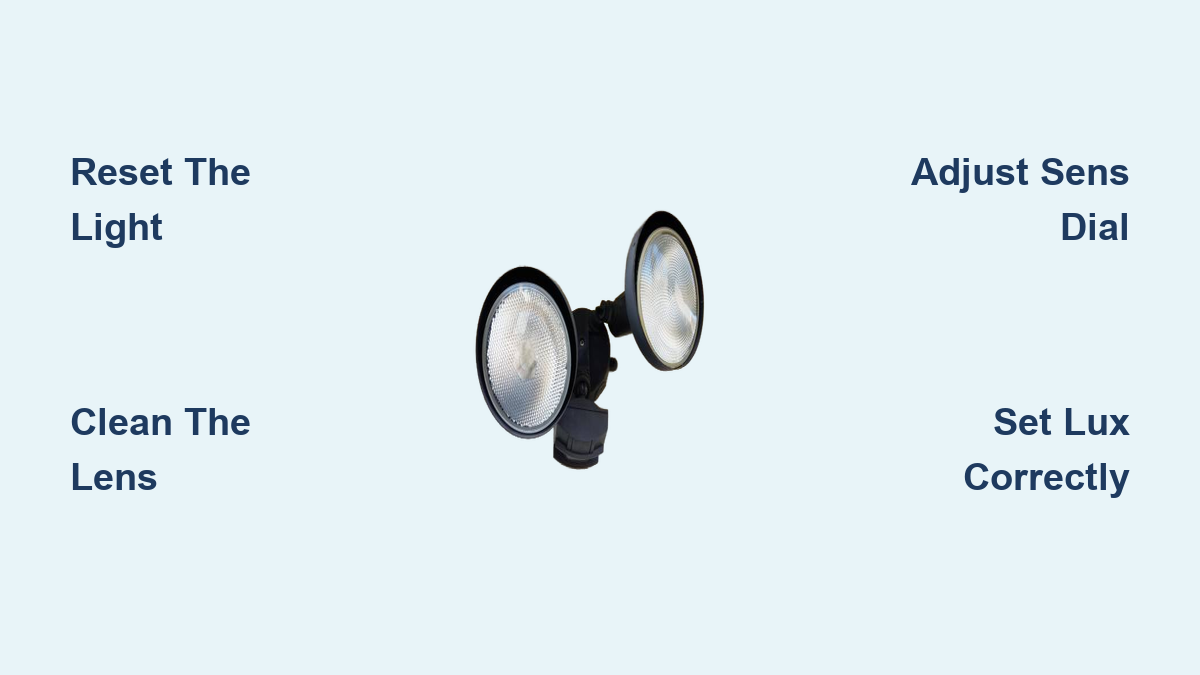
Reset the Motion Sensor Light
A reset clears stuck timers, false triggers, and sensor confusion. Try these three methods in order until your light responds normally.
Standard Wall Switch Reset
This works for most residential fixtures:
1. Turn the wall switch OFF.
2. Wait 10 to 30 seconds to drain internal power.
3. Turn the switch ON.
4. Let the sensor calibrate for 1 minute before testing.
Make sure the fixture’s mode switch is set to “Auto” rather than “Manual On.”
Rapid Cycle Reset for Stubborn Units
Some security lights lock into override mode after frequent toggling:
1. Turn the switch ON for 1–2 seconds.
2. Turn it OFF for 3–5 seconds.
3. Repeat this cycle 2–3 times.
4. Leave the switch ON.
5. Wait 60 seconds for recalibration.
This forces the internal logic to exit manual mode.
Breaker Reset for Complete Power Clear
If the wall switch method fails:
1. Turn off the circuit breaker for the light.
2. Wait 60 seconds to fully discharge the control board.
3. Restore power.
4. Allow 1 minute for initialization.
Use this when settings keep reverting or the light shows no response.
Clean the Sensor Lens and Housing
A dirty lens is a leading cause of missed detections and false triggers. Dust, spider webs, and grime block infrared signals or create misleading heat shadows.
Wipe the Sensor Lens
- Turn off power at the breaker.
- Let the fixture cool completely.
- Gently wipe the sensor lens (the small white or translucent dome) with a soft, damp microfiber cloth.
- Use mild soap only if needed. Never use alcohol, ammonia, or abrasive cleaners, as they can cloud the plastic.
A cloudy lens reduces sensitivity and may cause flickering or non-detection.
Clear Debris from Housing
- Remove cobwebs, leaves, and insect nests from inside the fixture.
- Check for spider webs directly on the lens, a frequent cause of nighttime false triggers.
- Use a soft brush or compressed air if necessary.
Clean the sensor every 3–6 months, or more often in dusty or buggy areas.
Adjust the Three Control Dials
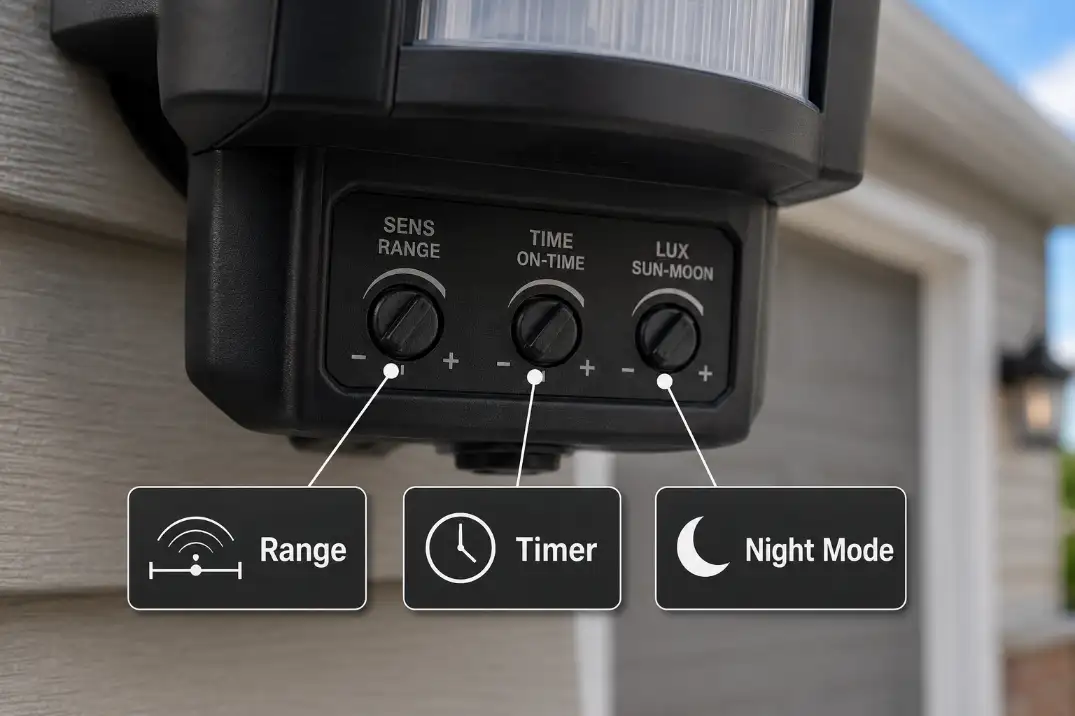
Most motion lights have three dials labeled SENS, TIME, and LUX. Mastering these is the key to reliable performance.
Fix Low Detection: Adjust Sensitivity (SENS)
This dial controls how much heat change is needed to trigger the light.
- Too low? The light ignores people or only detects them up close.
- Too high? It triggers on small animals, cars, or wind-blown debris.
Fix:
– If the light misses motion, turn SENS up.
– If it triggers falsely, turn SENS down.
– In winter, increase sensitivity because heavy coats insulate body heat.
Stop Constant Light: Set Timer (TIME) Correctly
This controls how long the light stays on after motion stops.
- Maxed out? The light appears to stay on forever.
- Too short? The light turns off before you finish walking through.
Fix:
– If the light won’t turn off, lower the TIME dial.
– Remember: the timer resets with every new motion, so a continuous heat source keeps it on indefinitely.
Prevent Daytime Activation: Calibrate Daylight (LUX)
This sets the ambient light level at which the sensor activates.
- Moon symbol: Only turns on in full darkness.
- Sun symbol: Activates in low light or even daylight.
Fix:
– If the light comes on during the day, turn LUX toward the Sun to raise the threshold.
– If it won’t turn on at dusk, turn LUX toward the Moon to lower the threshold.
– If the sensor sits in permanent shade under an eave, it may think it’s always night. Relocate or re-aim it.
Diagnose Common Problems
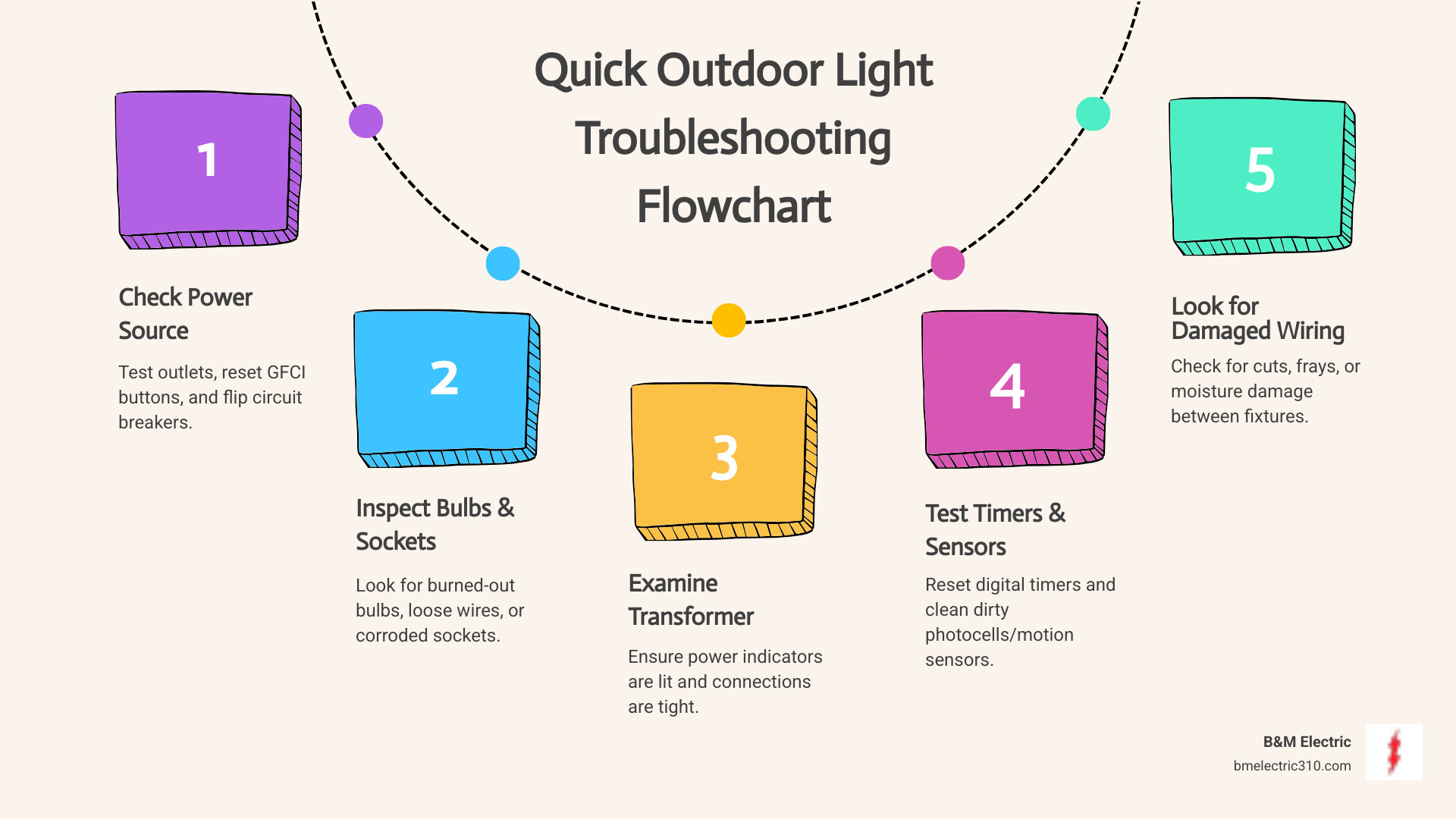
Match your symptom to the exact fix using this troubleshooting section.
Light Won’t Turn On at All
Most likely causes: Power loss, dead bulb, or LUX setting in daylight mode.
Quick fixes:
– Check the circuit breaker.
– Replace the bulb, especially if it’s an old LED or incandescent.
– Turn the LUX dial to Moon to ensure it’s set for night.
Advanced check: Test voltage at the fixture with a multimeter, then perform a breaker reset to rule out logic lock.
Pro Tip: Some lights have a test mode. Turn LUX to Sun and walk in front of the sensor. The light should turn on even in daylight. If it doesn’t, the sensor or bulb is faulty.
Light Stays On Constantly
The sensor is being continuously triggered or locked in manual mode.
Immediate actions:
1. Flip the wall switch Off/On to reset.
2. Lower the TIME dial if it’s set to 10+ minutes.
3. Ensure the mode switch is on “Auto”, not “Manual On.”
Check for hidden triggers:
– HVAC exhaust vents
– Heat-radiating pavement or brick walls
– Pool pumps or running vehicles
– Light reflecting off windows or water
Fix: Re-aim the sensor away from heat sources or reflective surfaces.
False Triggers at Night
The light turns on with no one around. Common culprits include heat sources, vegetation, and excessive sensitivity.
Solutions:
– Lower SENS to ignore small animals.
– Clean the lens because a single spider web can cause repeated triggers.
– Trim bushes, grass, or tree branches since wind-blown plants create motion.
– Re-aim the sensor away from roads, vents, or reflective walls.
For pet-friendly yards, angle the sensor slightly downward to focus on human-height movement.
Light Turns On During the Day
This means the LUX setting is too sensitive to low light.
Fix:
– Turn the LUX dial toward the Sun symbol.
– If the sensor is under a deep eave or tree, it may be in permanent shade. Move or re-aim it to receive direct ambient light.
Avoid pointing the sensor toward bright lights at night, as this can confuse the LUX sensor.
Light Works in Day But Not at Night
Strange but common: the light activates in test mode but fails after dark.
Causes and fixes:
– Low sensitivity for cold air: Turn SENS up because cold backgrounds reduce heat contrast.
– Self-interference: The floodlight beam hits the sensor lens, making it think it’s daytime. Re-aim the lamp heads downward or away from the sensor.
– Winter clothing: Heavy coats hide body heat. Increase sensitivity during winter months.
Optimize Positioning and Angle

Even perfect settings fail if the sensor is aimed incorrectly.
Aim for Cross-Motion Detection
PIR sensors detect motion best when a person crosses the field of view (side to side), not when walking directly toward it.
Fix:
– Rotate the sensor so pathways cut across its zones.
– Avoid pointing it straight down a driveway.
Set Correct Mounting Height
Ideal height is 6 to 10 feet.
– Too high (above 10 ft): Reduces detection of ground-level movement.
– Too low (below 6 ft): Increases false triggers from pets and limits range.
For security purposes, 8–10 feet is ideal because it’s harder to tamper with and provides wider coverage.
Remove Obstructions
Check for:
– Tree branches
– Gutters
– Wall decorations
– Bird nests
Even partial blockage reduces range and creates blind spots.
Handle Flickering and Buzzing

Flickering lights often point to bulb or wiring issues.
Replace Incompatible Bulbs
Most common cause: Using non-dimmable LEDs in motion sensor fixtures.
Fix:
– Replace with a dimmable LED or motion-sensor-rated bulb.
– Avoid cheap LEDs because low-quality drivers can cause flicker.
Tighten Loose Wiring
Flickering or buzzing can signal arcing from loose connections.
Steps:
1. Turn off power at the breaker.
2. Open the fixture.
3. Check wire nuts and terminals and tighten any loose connections.
4. Look for burn marks or corrosion and replace damaged parts.
If flickering persists, the control board may be failing and require replacement.
Replace the Sensor or Fixture
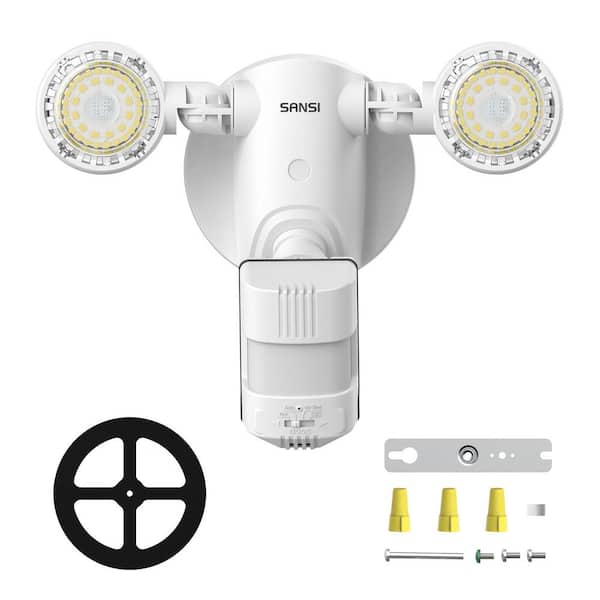
If adjustments fail, it may be time to replace the unit.
When to Replace
Replace if:
– Settings don’t hold or reset themselves.
– The light shows no response despite confirmed power and a good bulb.
– You see moisture inside the housing (fogging, rust).
– The light shows random behavior, turning on and off with no pattern.
Upgrade to Modern Fixtures
Consider a sealed LED motion light with:
– Integrated sensor and LEDs that eliminate bulb changes.
– Adjustable detection zones for masking out streets or trees.
– Improved weatherproofing (IP65 or higher).
These last longer and reduce maintenance.
Prevent Future Issues
Keep your motion light working with simple seasonal habits.
Seasonal Adjustments
- Winter: Increase SENS for heavy coats and cold air.
- Summer: Lower SENS to avoid small animals.
- Spring/Fall: Clean the lens and check seals.
Monthly Quick Check
- Test detection by walking through the zone.
- Verify the light turns off after the set time.
- Look for spider webs or debris.
Battery-Powered Units
If your light runs on batteries:
– Replace all batteries at once with fresh ones.
– Use lithium batteries in cold climates because they perform better.
Dead batteries cause erratic behavior, even if the light seems to work dimly.
Frequently Asked Questions About Motion Sensor Flood Lights
Why does my motion light work during the day but not at night?
This usually points to a sensitivity or contrast issue. At night, the background is colder, and heavy clothing reduces your heat signature. Raise the SENS dial to compensate. Alternatively, the light’s own beam may be hitting the sensor lens, tricking it into thinking it’s daytime. Re-aim the lamp heads downward or away from the sensor.
Can I fix a motion sensor flood light myself?
Yes, 90% of issues are safe DIY tasks. Resetting, cleaning, adjusting dials, and changing bulbs require no electrical expertise. Only open the wiring compartment or replace the fixture if you are comfortable working with electricity and have turned off the breaker first.
Why does my motion light flicker or buzz?
Flickering is almost always a bulb compatibility issue. Using a non-dimmable LED in a motion sensor fixture causes this problem. Swap the bulb for a dimmable or motion-sensor-rated LED. If the problem continues, check for loose wire connections inside the fixture.
How do I stop the light from triggering on passing cars?
Lower the sensitivity setting and aim the sensor downward and away from the street. If the sensor sits too close to the road, physical relocation may be the only reliable fix.
What is the difference between occupancy and vacancy sensors?
Occupancy sensors turn the light on automatically when you enter and off when you leave. Vacancy sensors require you to turn the light on manually but shut it off automatically when the room empties. Choose occupancy for hands-free convenience and vacancy for energy savings.
My settings keep reverting on their own. What’s wrong?
This typically indicates a failing control board or intermittent power supply. If a full breaker reset does not solve the problem, the internal memory or logic board has degraded, and the unit needs replacement.
Key Takeaways for Fixing Your Motion Sensor Flood Light
Most motion sensor flood light problems are not broken hardware. They are simple fixes hiding behind wrong settings, dirty lenses, or poor positioning. Start with a reset, then clean the lens, and adjust the three dials (SENS, TIME, LUX). In under 15 minutes, you can restore reliable, hands-free lighting and security.
Your next step: walk outside tonight, test your light’s detection zone, and apply the dial adjustments that match your symptoms. Save the replacement as a last resort.