
Is your flood light stuck on, refusing to turn on, or missing every motion event? You are not the only one dealing with this. A flood light that won’t reset properly can leave your home in the dark, both literally and figuratively, when you need security most. The good news is that most flood light problems come down to a simple reset that clears glitches, recalibrates sensors, and restores normal operation in minutes. In this guide, you will learn exactly how to reset a flood light, diagnose the real cause of the issue, and keep it working reliably for years.
Cut Power at the Breaker for a Hard Reset

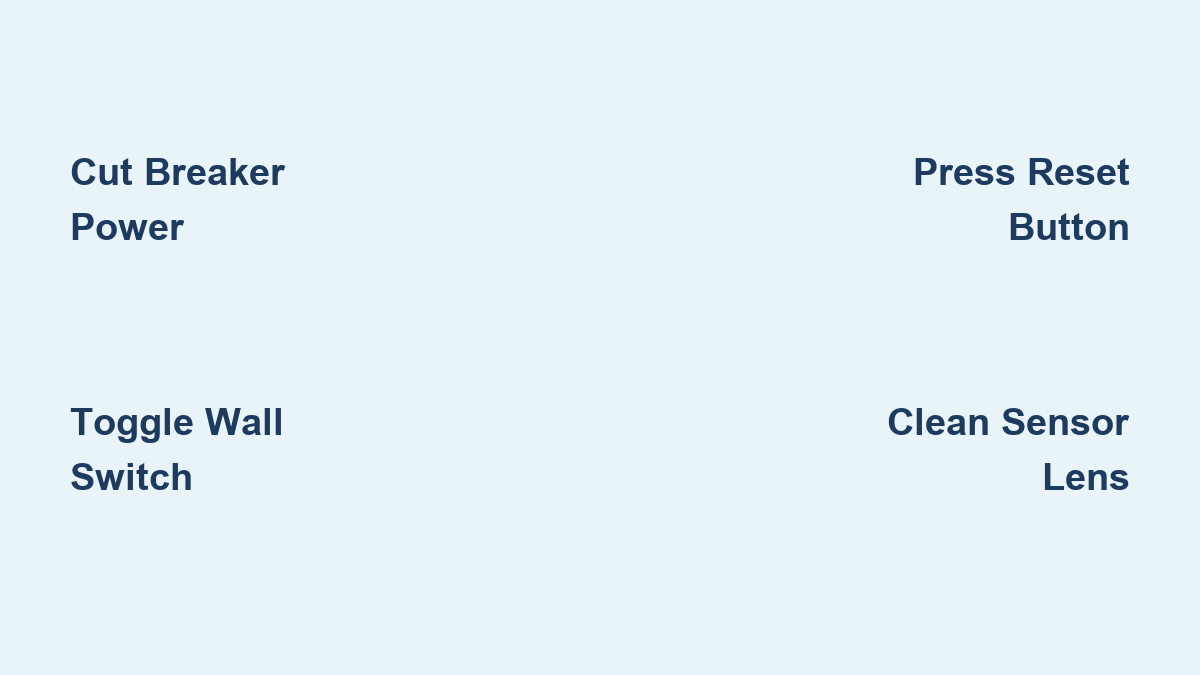
The most reliable way to reset any flood light is by cutting power completely at the circuit breaker. This forces the internal electronics to reboot, clears corrupted memory, and resolves most sensor lockups.
Perform a Breaker Power Cycle
- Locate the correct breaker for your flood light at the electrical panel.
- Flip the breaker to OFF. Do not rely on the wall switch alone, since some circuits stay partially energized.
- Wait 30 to 60 seconds. This duration is critical because the internal capacitor and sensor memory need time to fully discharge.
- Flip the breaker back to ON.
- Wait 10 to 20 seconds for the unit to reinitialize.
⚠️ Pro Tip: If the light turns on immediately and stays lit, it may be in test mode. Give it about 30 seconds, since many sensors activate briefly after power is restored.
After the reset, walk through the sensor’s field of view to confirm motion detection works properly.
Use the Wall Switch Toggle Sequence
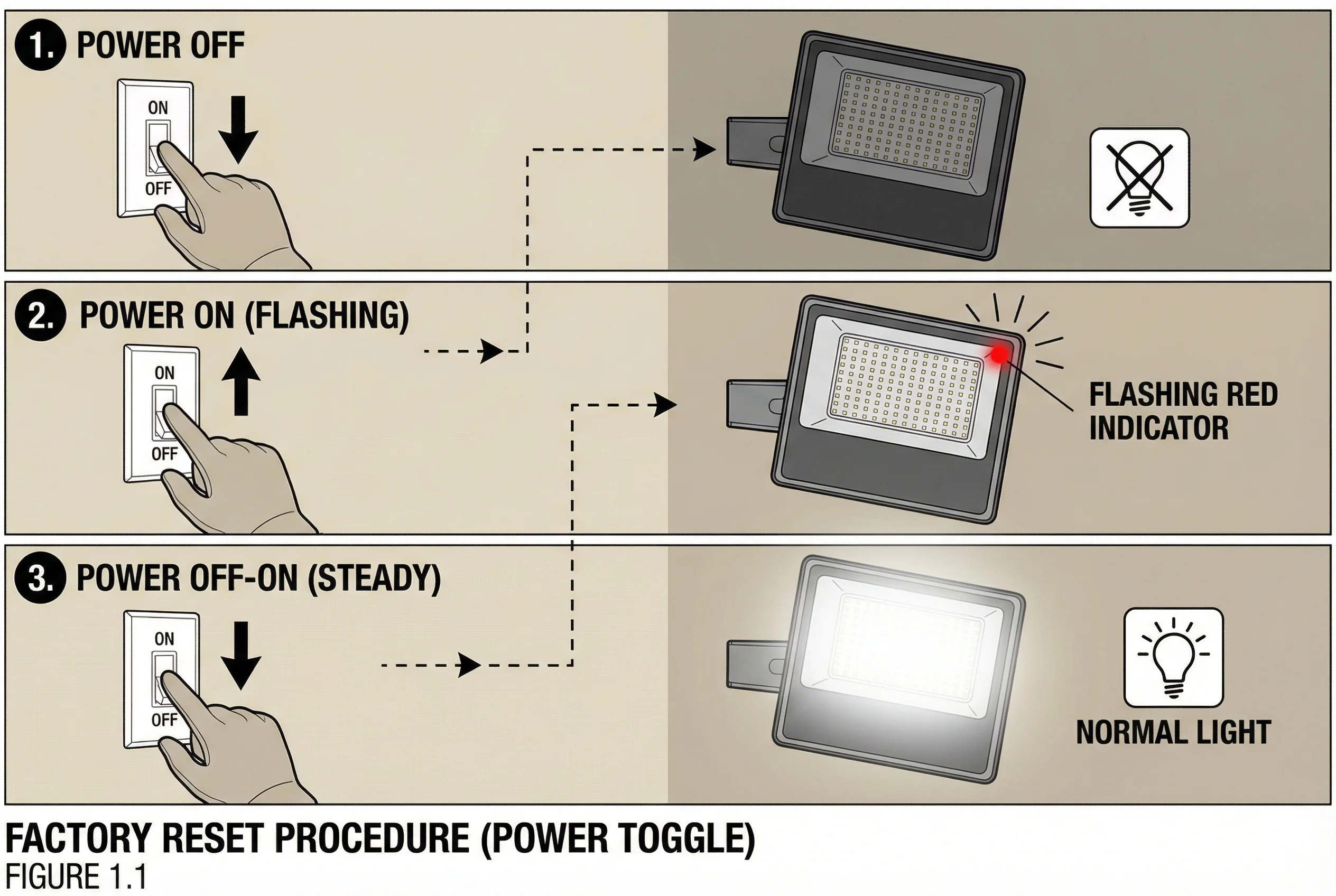
If reaching the breaker is inconvenient, you can often reset the flood light using a precise on-off pattern at the wall switch.
Try the 2-Second Toggle Method
- Turn the switch ON for 2 seconds.
- Turn it OFF for 2 seconds.
- Turn it ON again.
This sequence signals the sensor to reboot. Some models respond instantly, while others need up to 30 seconds to recalibrate.
Attempt the Rapid Cycle Reset
For stubborn units that ignore the standard sequence:
- Flip the switch ON and OFF quickly four or five times.
- Continue until the light stays on continuously.
- Once it remains on, turn the switch OFF and hold for 5 seconds.
- Flip it back ON.
This approach forces many motion sensors into default mode, especially older or hardwired models.
✅ Success Signal: The light turns off after motion stops, rather than staying on indefinitely.
Press the Hardware Reset Button on Smart Flood Light Cameras
Smart flood light cameras, such as Ring, Arlo, or Nest models, include a dedicated reset button that restores factory settings and clears connectivity issues.
Activate Factory Reset Mode
- Find the reset button, usually hidden behind a small cover or on the side of the camera housing.
- Press and hold with a paperclip or pin for 10 to 15 seconds.
- Watch for confirmation indicators:
– A blinking blue LED
– An audible beep or chime
Once either signal appears, release the button. The device is now reset and ready to re-pair.
- Reconnect via the app. You will need to re-link the light to Wi-Fi and reconfigure any custom schedules.
🔁 Note: This process erases custom schedules, sensitivity settings, and saved network credentials.
Diagnose Why Your Flood Light Needs a Reset
Resetting works best when you understand the underlying cause. Addressing the root issue prevents the same problem from coming back.
Identify the Symptom First
| Symptom | Likely Cause | Recommended Fix |
|---|---|---|
| Stuck ON | Power surge corrupted the timer | Reset via breaker |
| Stuck OFF | Tripped breaker, dead bulb, or sensor lock | Check power, replace bulb, reset |
| Flickers randomly | Loose wiring or failing sensor | Inspect connections, reset, consider replacement |
| Stays on too long | Timer misconfigured or memory error | Reset and recalibrate timer |
Check for Environmental Obstructions
- Dirty sensor lens? Wipe it clean with a soft cloth.
- Direct sunlight hitting the sensor? Adjust the angle to avoid glare.
- Low sensitivity setting? Increase it manually after resetting.
Account for Post-Power Outage Issues
Electrical surges often freeze motion sensors. Always perform a 30 to 60 second breaker reset after storms or blackouts to clear corrupted settings.
Adjust Sensitivity and Timer Settings After Reset

Once the flood light is reset, fine-tune the performance using the built-in dials or switches on the fixture.
Calibrate Motion Sensitivity
- Locate the sensitivity dial, usually on the back or underside of the unit.
- Turn to High for large detection zones like driveways or yards.
- Set to Low if pets or trees are triggering false alarms.
- Test by walking through the zone at different distances.
🐾 Pro Tip: For homes with dogs, set sensitivity just high enough to detect humans but ignore smaller animals.
Set the Duration Timer
- Find the time dial, typically marked from 30 seconds to 10 minutes.
- Choose the right range for your space:
– 30 seconds to 1 minute for pathways and porches
– 2 to 5 minutes for driveways and garages
– 10 minutes for high-security areas (use sparingly)
Wait for the light to turn off after motion stops. This confirms the timer is active and working correctly.
Clean and Maintain the Fixture Regularly
Dirt, cobwebs, and weather buildup are silent killers of motion detection. A clean sensor detects motion more accurately and triggers fewer false alarms.
Monthly Maintenance Checklist
- Turn off power at the breaker before cleaning.
- Wipe the sensor dome gently with a microfiber cloth.
- Use compressed air to clear dust from crevices.
- Inspect the bulb and replace it if dim or flickering.
- Check wiring seals for cracks or moisture entry.
💡 Did You Know? A layer of grime on a 100W flood light can reduce brightness by up to 30%, making the unit seem faulty when it only needs cleaning.
In cold climates, make sure snow or ice is not blocking the sensor field. In summer, trim overgrown bushes that may interfere with detection.
Prevent Future Reset Needs
Proactive protection reduces how often you need to reset your flood light.
Install Surge Protection
Frequent resets often point to voltage spikes. Consider using:
- Outdoor-rated surge protectors for individual fixtures
- Whole-house surge suppressors for broader protection
These devices shield sensitive circuitry from lightning strikes and grid fluctuations.
Upgrade to LED Bulbs When Possible
If your fixture uses replaceable bulbs:
- Choose dimmable, outdoor-rated LEDs
- Avoid cheap bulbs that fail faster and stress the sensor
Many modern flood lights come with integrated LEDs rated for 25,000 or more hours, eliminating bulb replacement entirely.
When to Replace the Unit or Call an Electrician
Resetting does not fix every problem. Know when it is time to escalate.
Replace the Flood Light If:
- It requires resetting weekly or more often
- The housing is cracked or water-damaged
- You notice a burnt smell or discoloration
- The unit is over 5 to 7 years old and underperforming
Older units lose sensitivity and reliability as internal components degrade.
Call a Licensed Electrician When:
- Power returns but the light does not respond at all
- You notice sparking, buzzing, or warm switch plates
- Wiring appears frayed, corroded, or loose
- The breaker trips repeatedly after a reset
⚡ Safety First: Never handle exposed wires without turning off the main power and verifying with a voltage tester.
Quick Reference: Reset Methods Compared
| Method | Best For | Time Required | Success Rate |
|---|---|---|---|
| Breaker Power Cycle | All models, post-surge | 60 seconds | ★★★★★ |
| Wall Switch Toggle | Hardwired motion lights | 10 seconds | ★★★★☆ |
| Rapid Switch Cycling | Stubborn or frozen sensors | 30 seconds | ★★★★☆ |
| Hardware Reset Button | Smart flood light cameras | 15 seconds | ★★★★★ |
Start with the breaker method since it is the most universal and effective for nearly every flood light model.
Frequently Asked Questions About Resetting a Flood Light
How long do you need to leave the breaker off to reset a flood light?
Leave the breaker off for 30 to 60 seconds. This duration ensures the internal capacitor fully discharges and the sensor memory clears completely. A quick flip will not give the electronics enough time to reset.
Why does my flood light stay on all the time?
A flood light stuck on usually points to a corrupted timer setting caused by a power surge, or a sensor that is locked in the ON position. Try a breaker reset first, then check the timer dial to make sure it is not set to the maximum duration.
Can I reset a flood light without turning off the breaker?
Yes. You can use the wall switch toggle method by turning the switch ON for 2 seconds, OFF for 2 seconds, and ON again. For stubborn units, rapidly cycle the switch four or five times until the light stays on, then turn it OFF for 5 seconds before turning it back ON.
Will resetting a smart flood light camera erase my settings?
Yes. Pressing and holding the hardware reset button for 10 to 15 seconds restores factory defaults. This erases custom schedules, sensitivity settings, and Wi-Fi credentials. You will need to re-pair the device through its app after the reset.
How do I know if my flood light sensor is bad versus just needing a reset?
If the light still behaves erratically after multiple resets, the bulb is confirmed working, and the sensor lens is clean, the sensor itself may be failing. Other signs include physical cracks, water ingress, or a burnt smell. In these cases, replacement or professional diagnosis is the next step.
How often should I clean my flood light sensor?
Clean the sensor lens and housing at least once a month, or more often in dusty or coastal environments. Regular cleaning prevents false triggers and keeps the sensor detecting motion accurately.
Key Takeaways for Resetting Your Flood Light Successfully
Resetting a flood light is a systematic process, not guesswork. The breaker power cycle remains the most reliable method across all models, while the wall switch sequence offers a quick alternative when the breaker is hard to reach. For smart cameras, the hardware reset button clears deeper software and connectivity issues.
Pair your reset with regular cleaning, proper sensitivity calibration, and surge protection to keep your flood light working reliably for years. If problems continue after multiple resets, inspect the wiring or consider upgrading to a newer, more resilient model. Start with the breaker method today, and you will likely have your flood light back to full performance in under two minutes.